PBXBoxNG Deutsch

Asterisk, made understandable

Your phone system. In the browser. No config files.

PBXBoxNG is a modern web interface for Asterisk: from the first line to the switchboard – in German and English, light or dark.

See all features Manual (PDF)

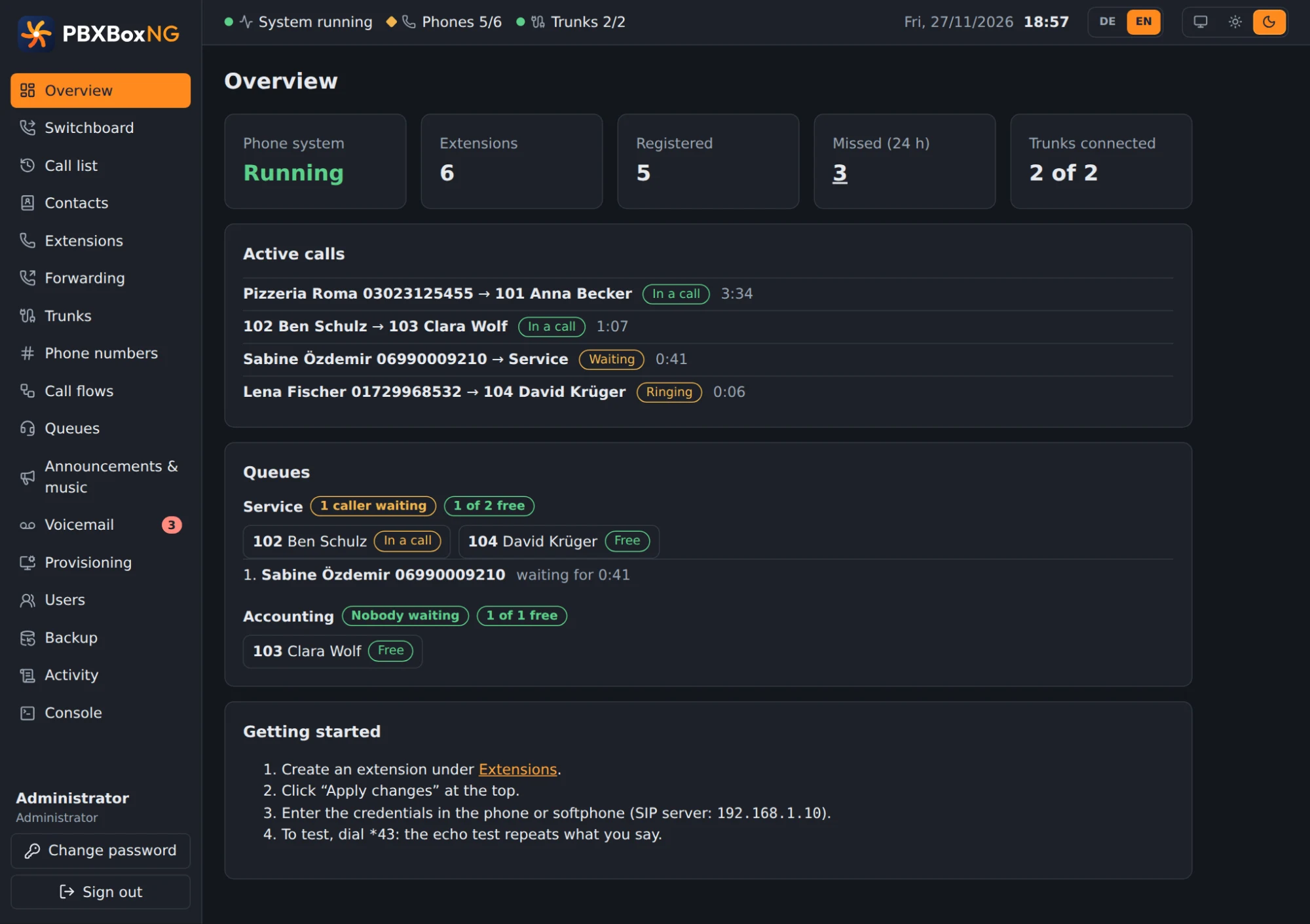
Overview with active calls and queues
Asterisk 22
as the telephony core
Docker
installed in a few steps
DE · EN
interface, prompts, phones
On premises
runs on your own server

Everything that matters in one place

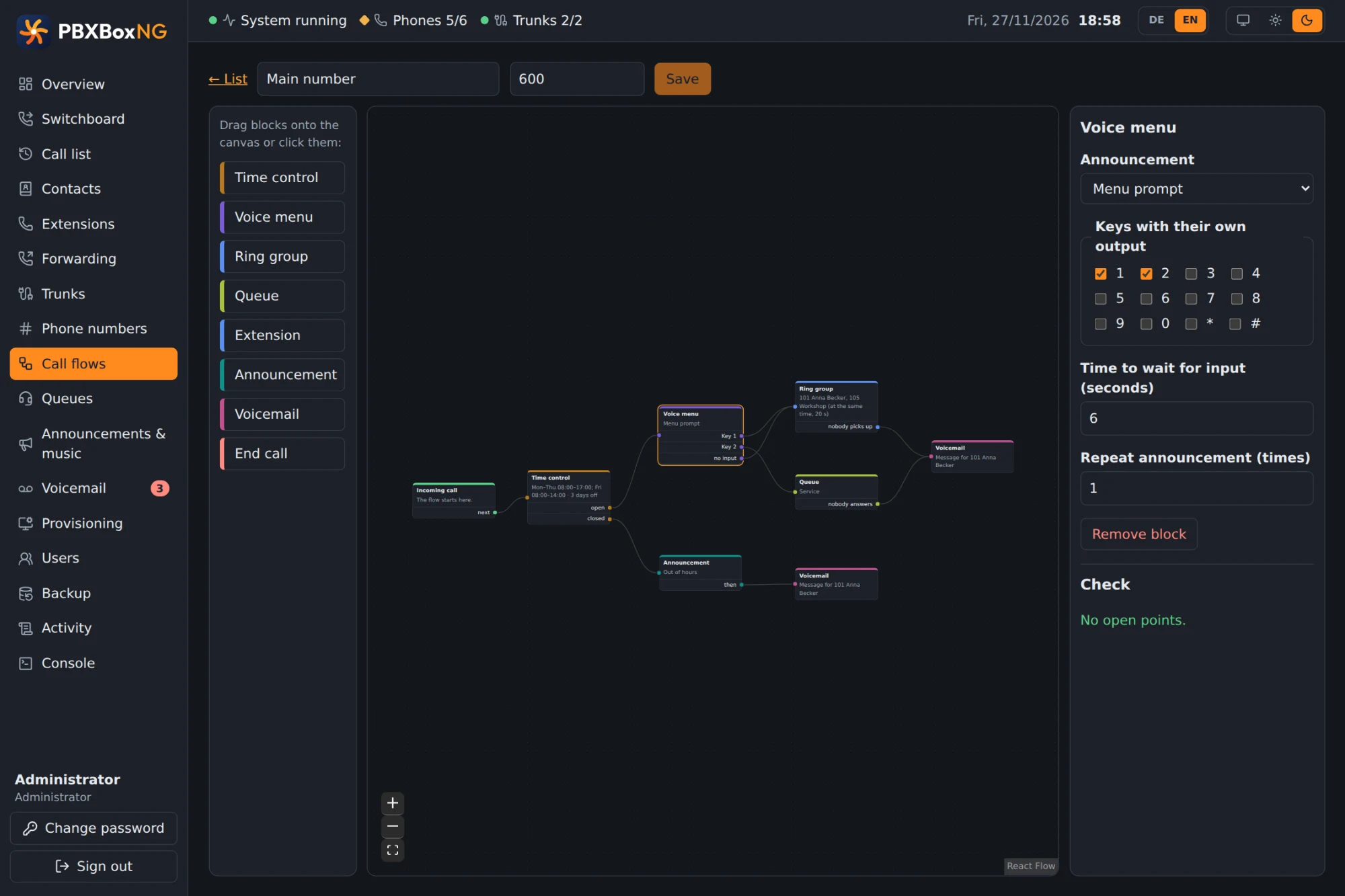
  • Draw call flows

    Connect opening hours, voice menus and ring groups as blocks.

  • Transfer with the mouse

    Drag calls onto extensions, queues or voicemail.

  • Phones set themselves up

    Snom, Fanvil and Gigaset fetch their settings on their own.

  • Queues

    With hold music, position announcements and log-in at the phone.

  • Toll fraud protection

    Dialling permission per extension, premium numbers blocked.

  • Scheduled backups

    To SMB, NFS or FTP targets, encrypted and restorable.

Setting up telephony

Prepare changes calmly and activate them with one click.

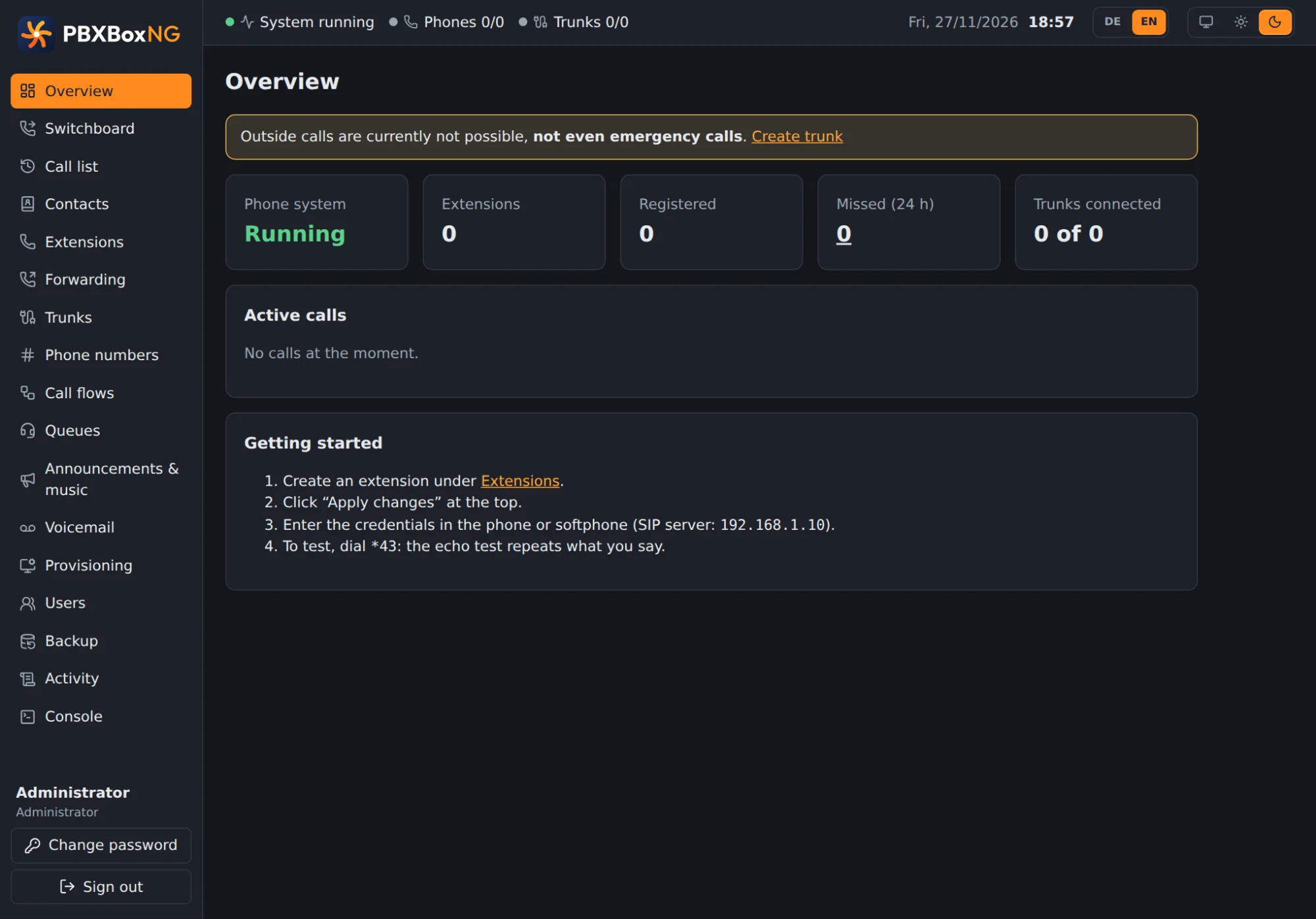
Overview and status bar

At a glance: is the system running, which phones are registered, which trunks connected, who is talking and who is waiting.

  • Active calls and queues live
  • System time, language and appearance switch
  • “Apply changes” takes over everything at once
Overview
Overview
Status bar
Status bar

Extensions

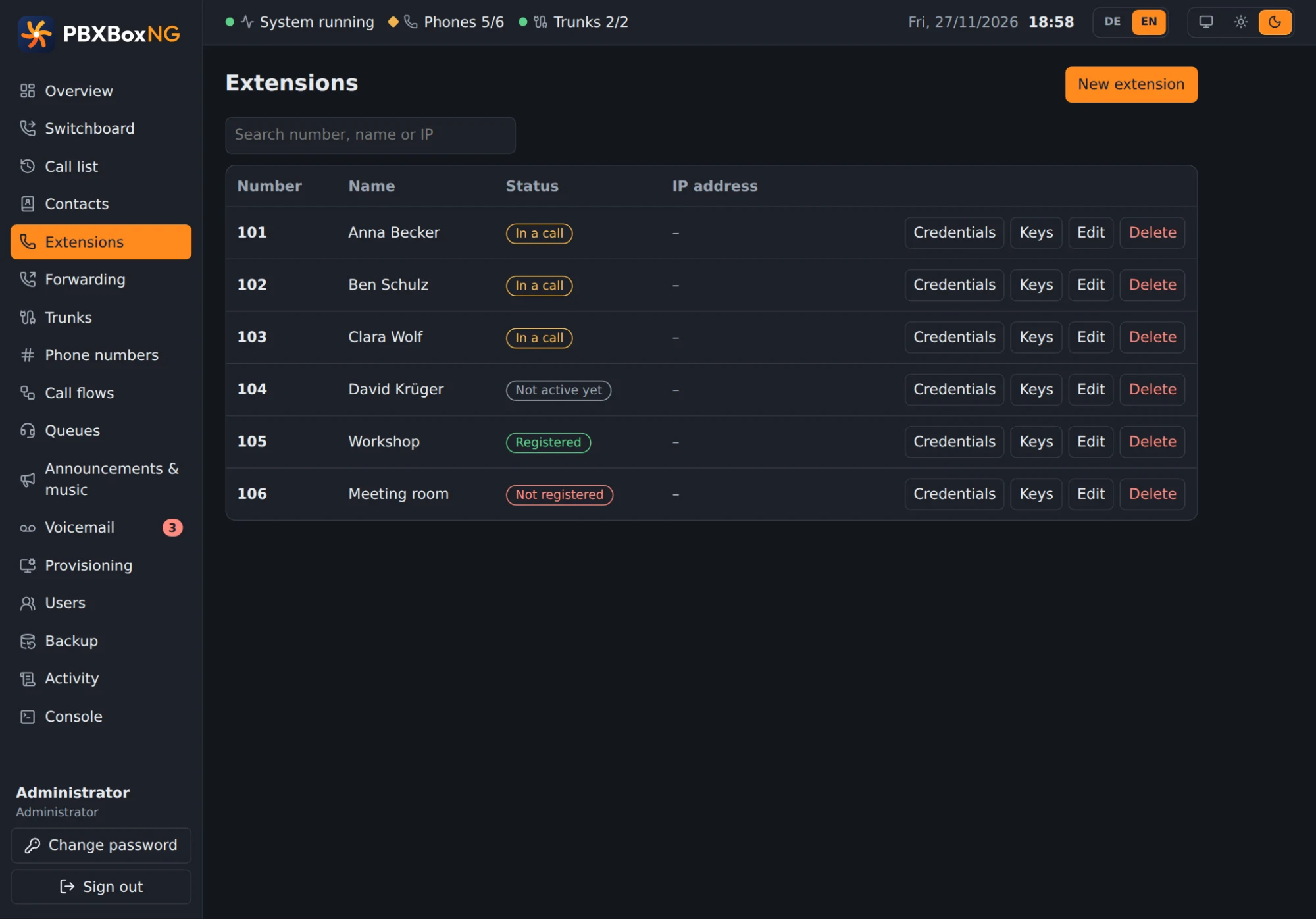
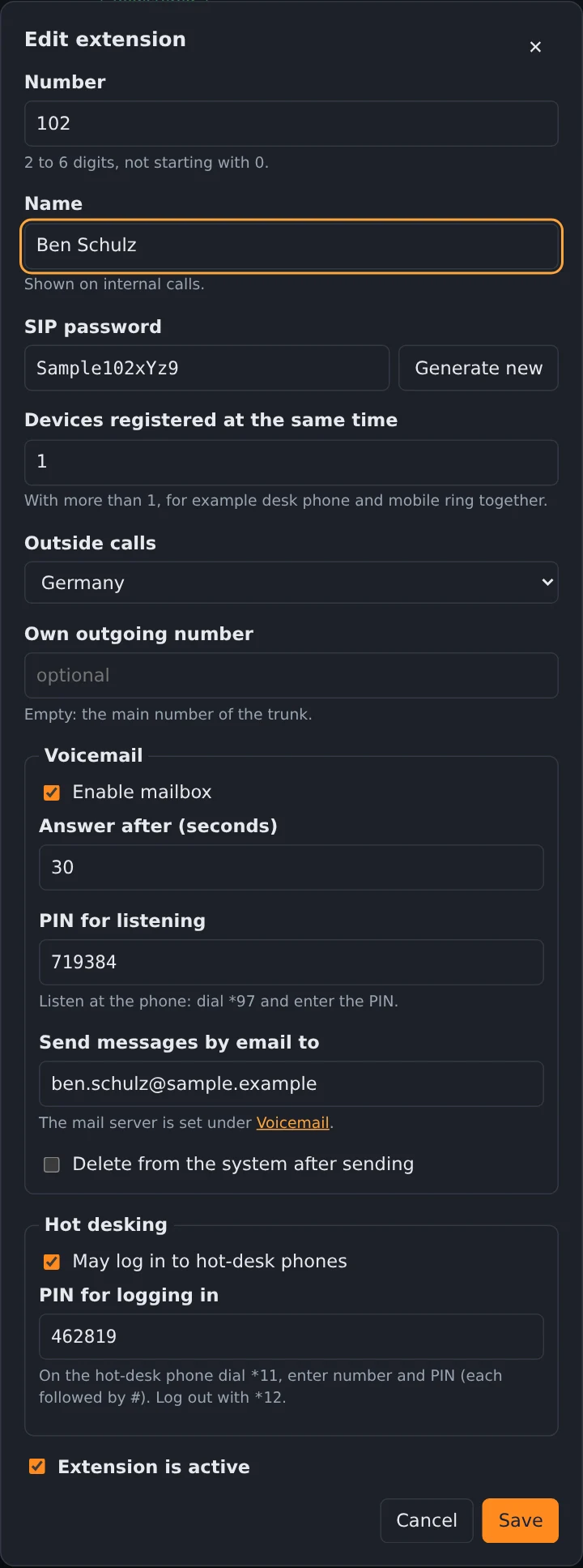
Number, name, password – done. For each extension you decide how many devices ring together and where it may call.

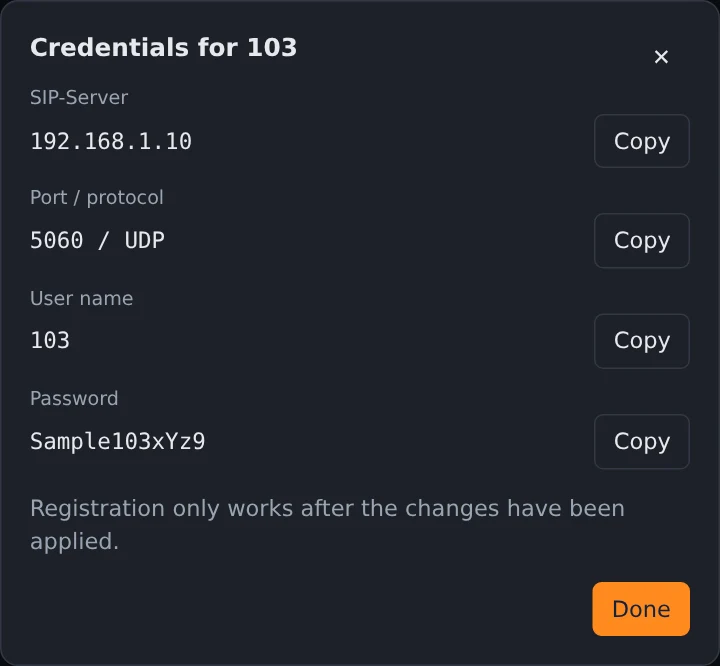
  • Credentials for phone or softphone ready to copy
  • Registration state with IP address and device type
  • Voicemail and hot desking per extension
List of extensions
List of extensions
Edit extension
Edit extension
Credentials
Credentials

Trunks and health check

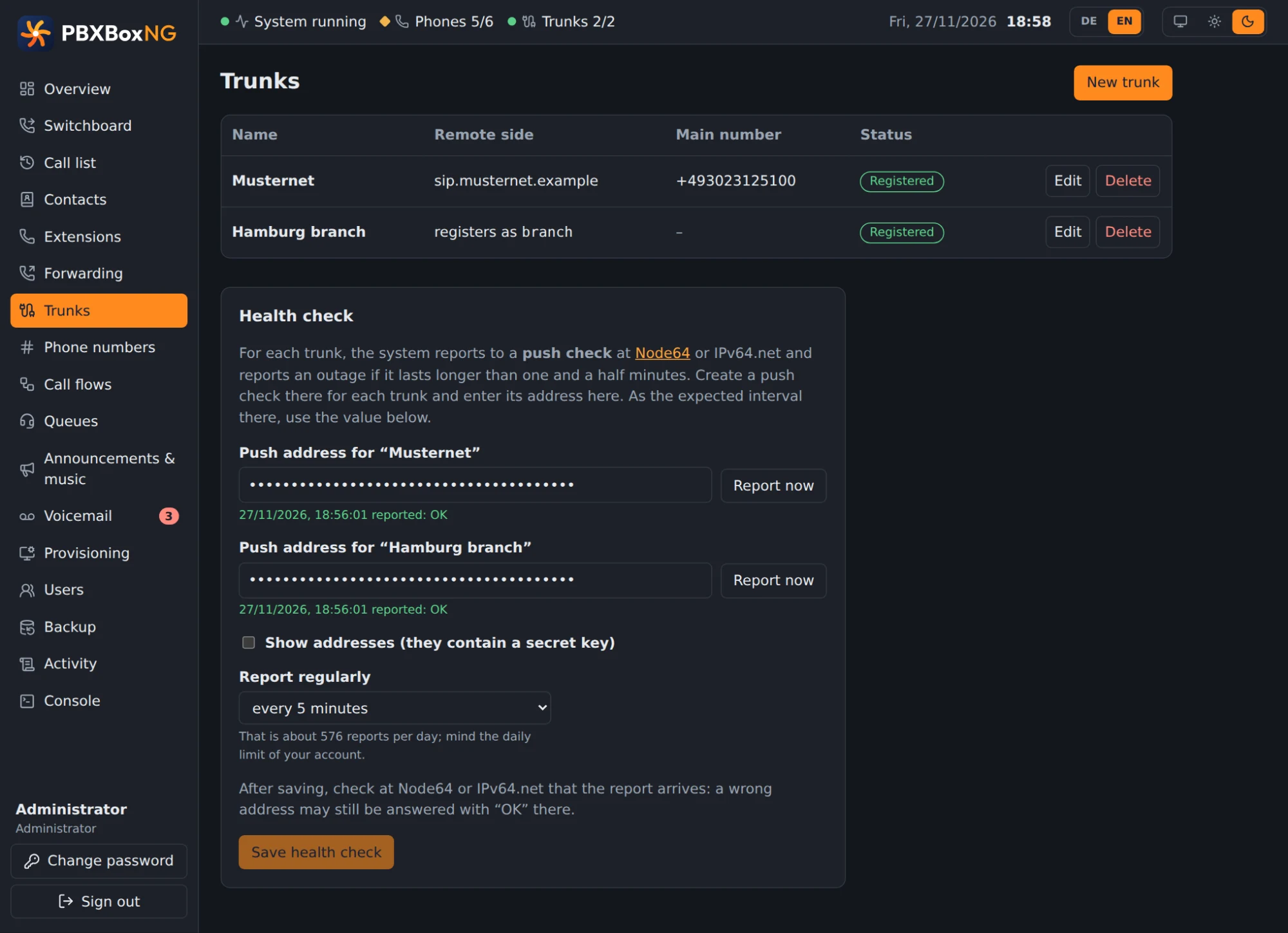
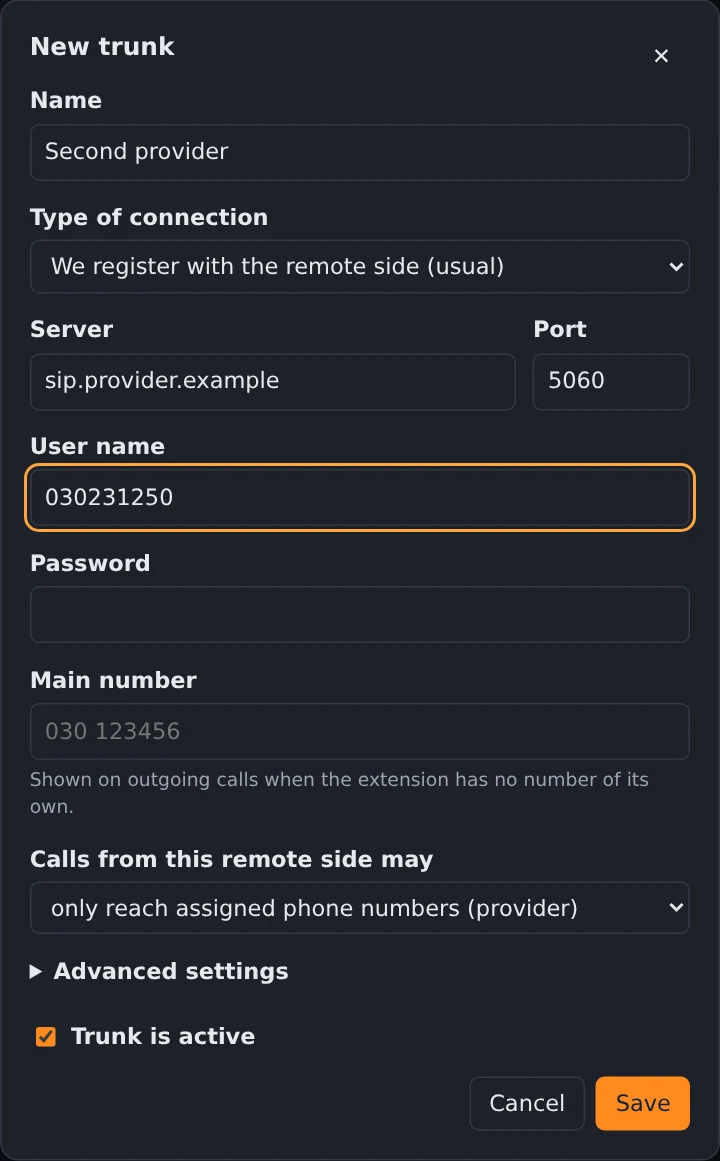
Lines to SIP providers or a second system. If a trunk fails, the system can report it to a push check at Node64 or IPv64.net.

  • With registration, fixed remote side or inbound registration
  • Fallback trunk on faults
  • Reports outage and recovery
Trunks with health check
New trunk
New trunk
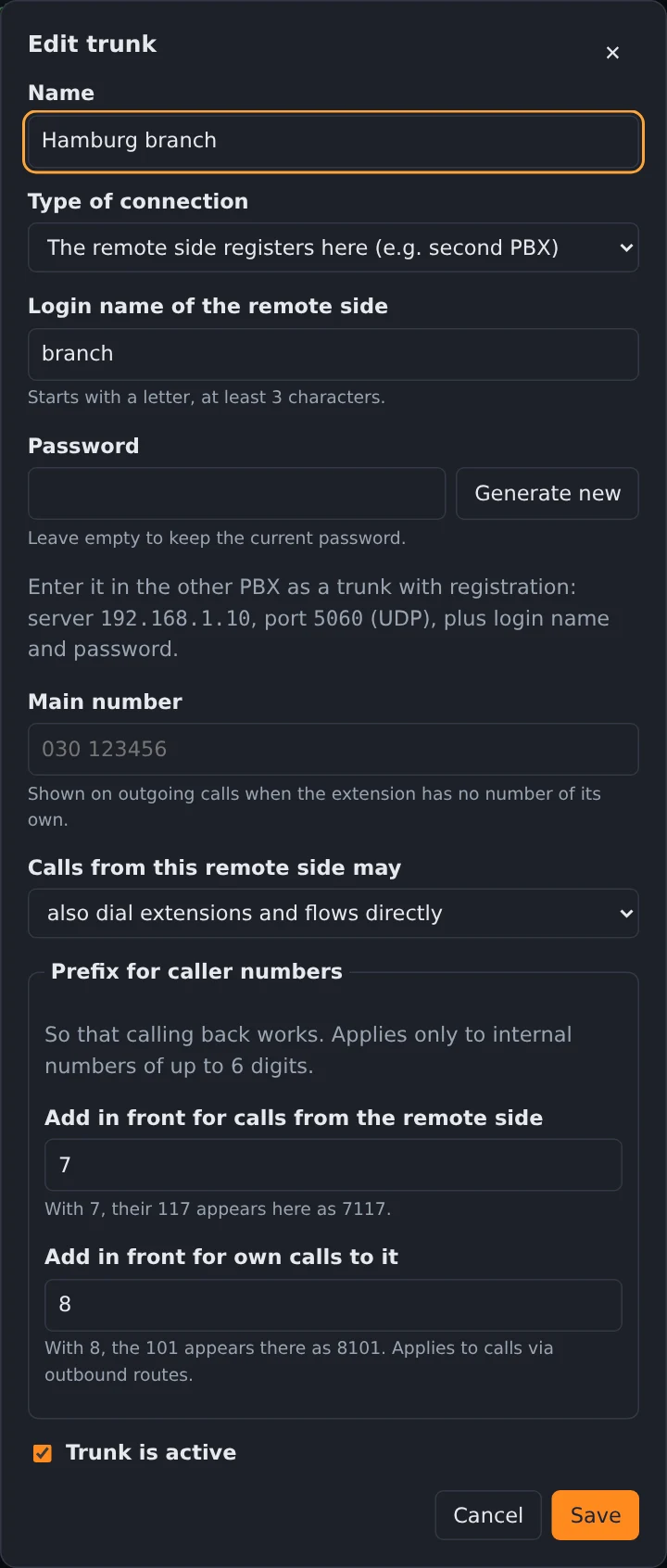
Linking a second system

Phone numbers and outbound routes

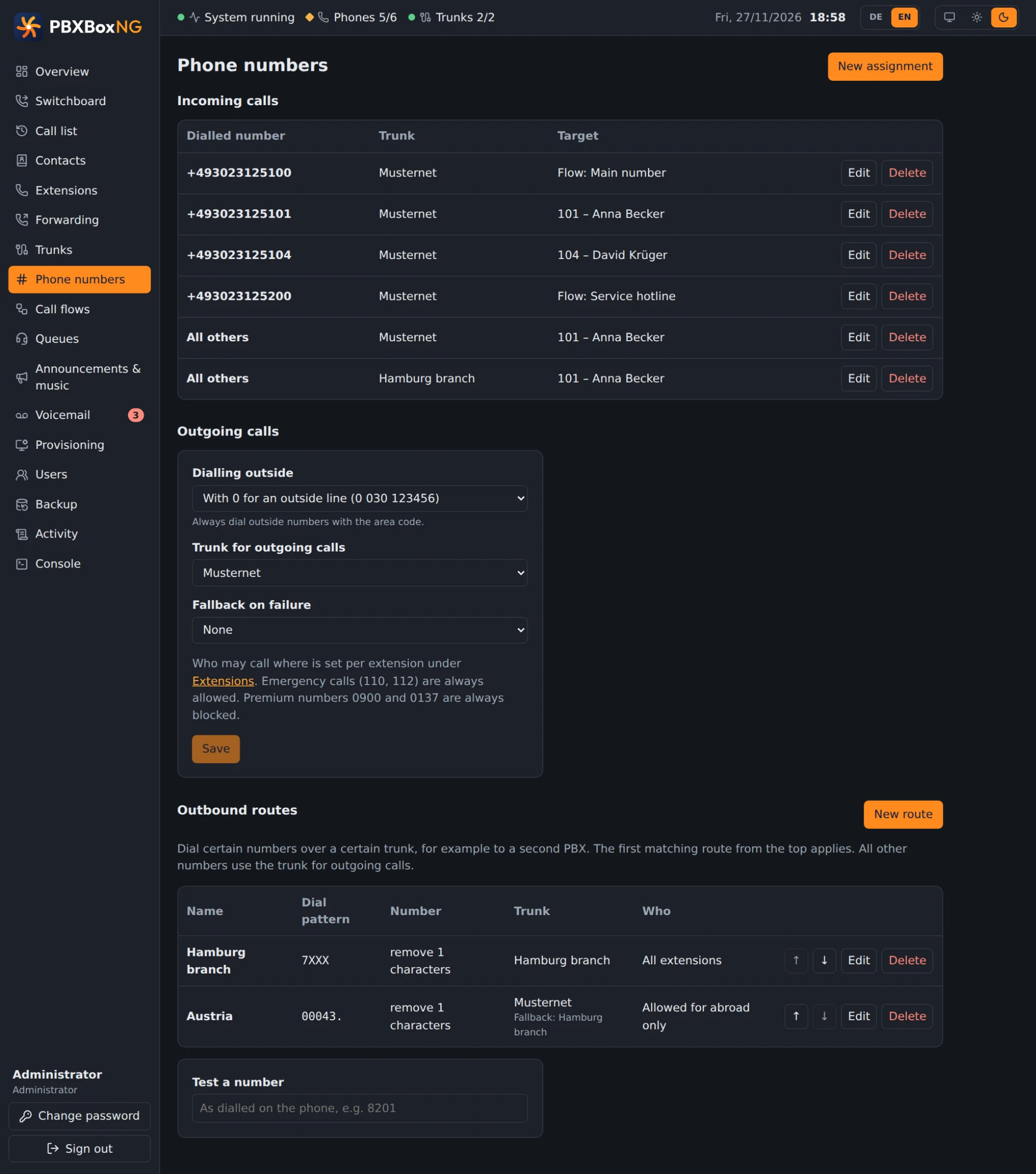
You decide where each number rings and send certain destinations over certain trunks – with dial patterns and a test field.

  • Incoming numbers to extensions or call flows
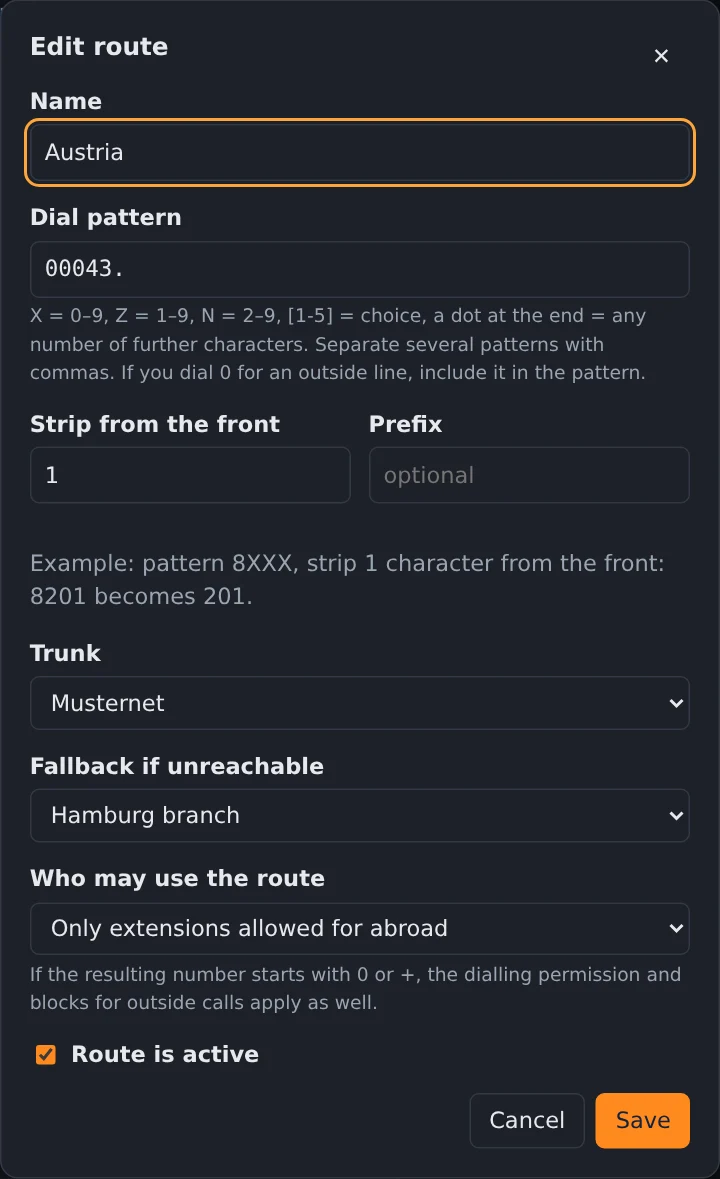
  • Dial patterns with fallback trunk, optional 0 for an outside line
  • Emergency calls always possible, 0900 and 0137 always blocked
Numbers and routes
Numbers and routes
Outbound route
Outbound route

Routing calls

From simple ringing to a hotline with menu and queue.

Graphical call flow editor

Drag blocks onto the canvas and connect them: time control, voice menu, ring group, queue, announcement, voicemail.

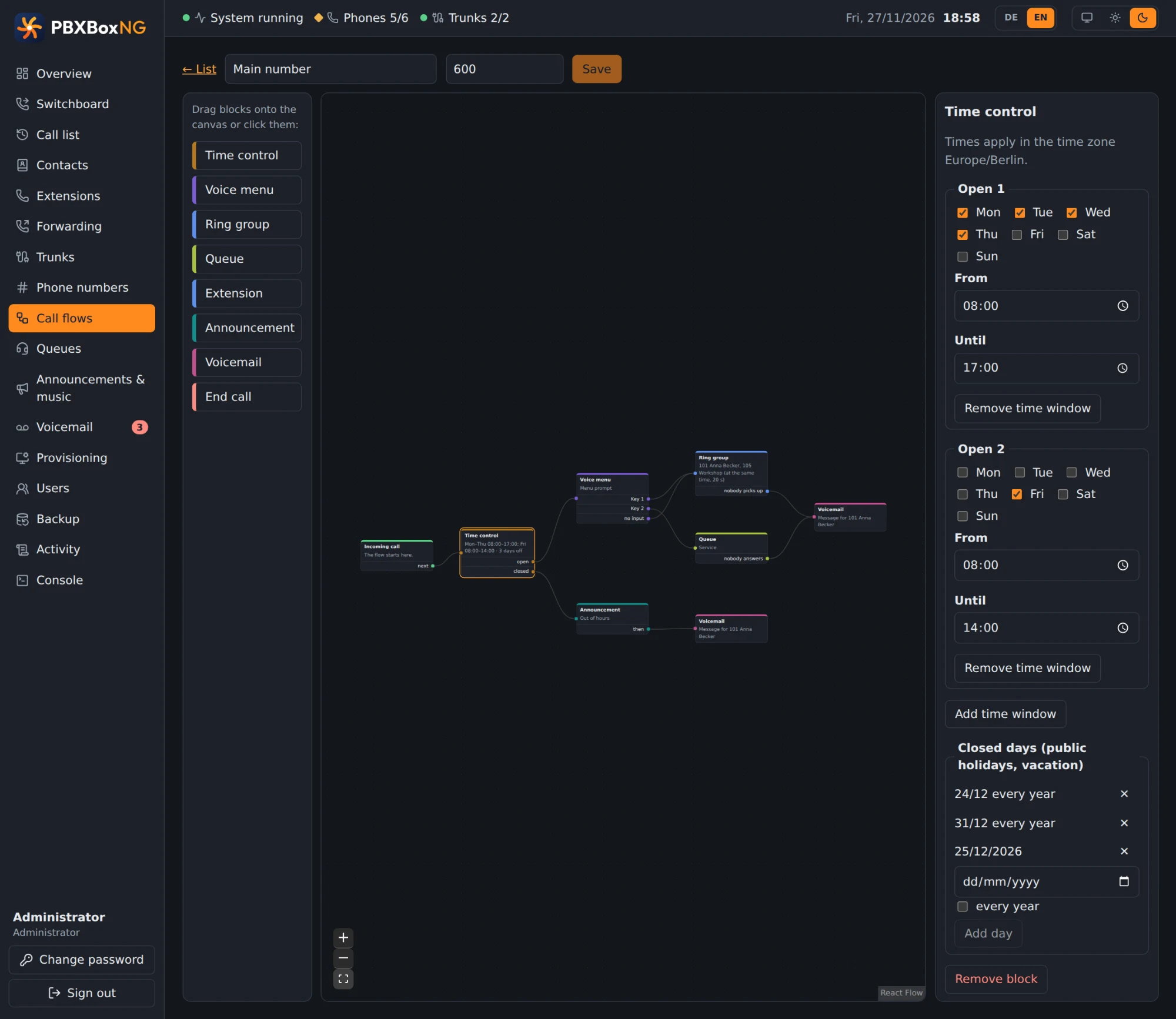
  • Weekdays, times, public holidays and vacation
  • The check shows errors and open ends before saving
  • Internal test number per flow
Call flow editor
Call flow editor
Time control
Time control
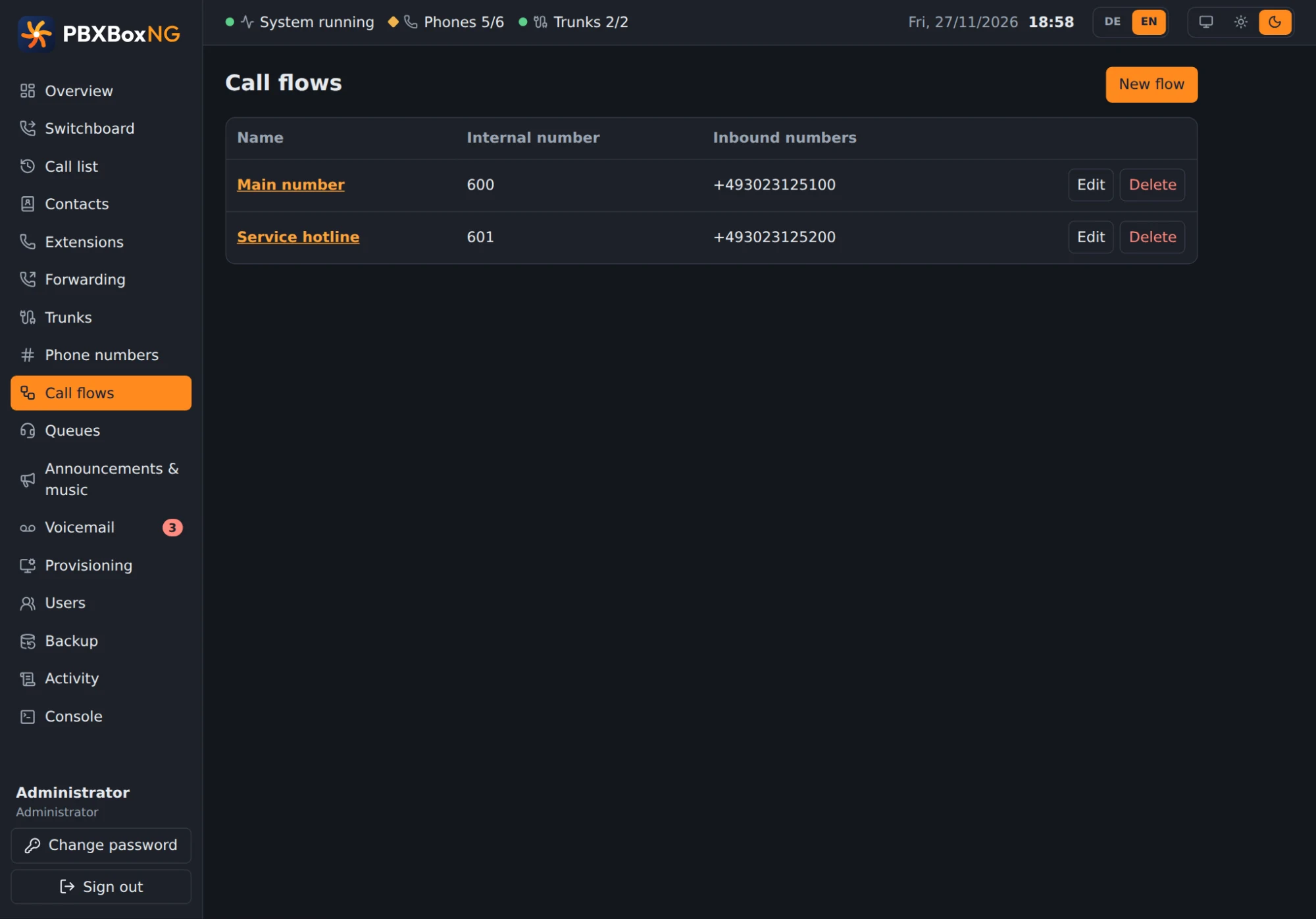
List of flows
List of flows

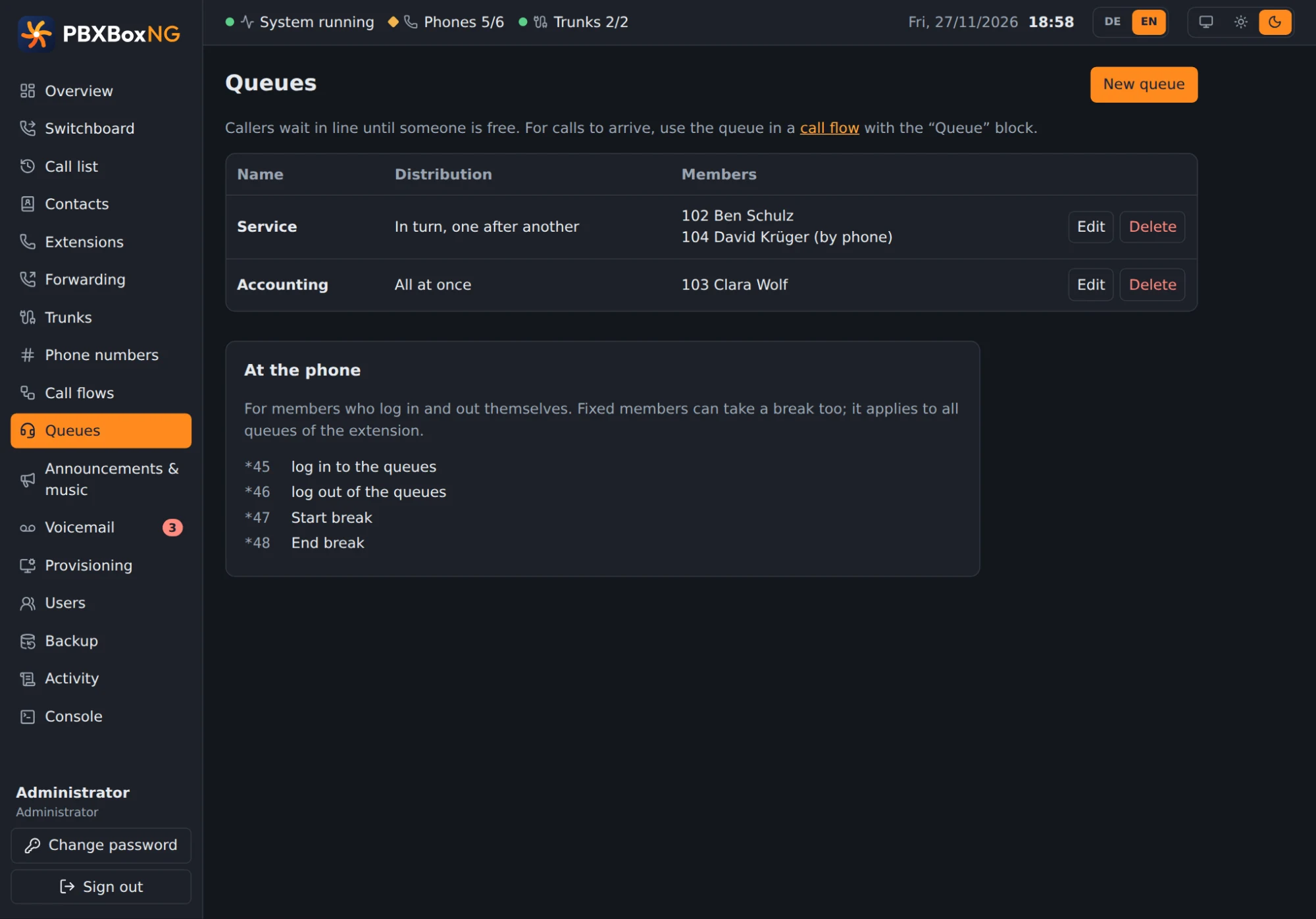
Queues

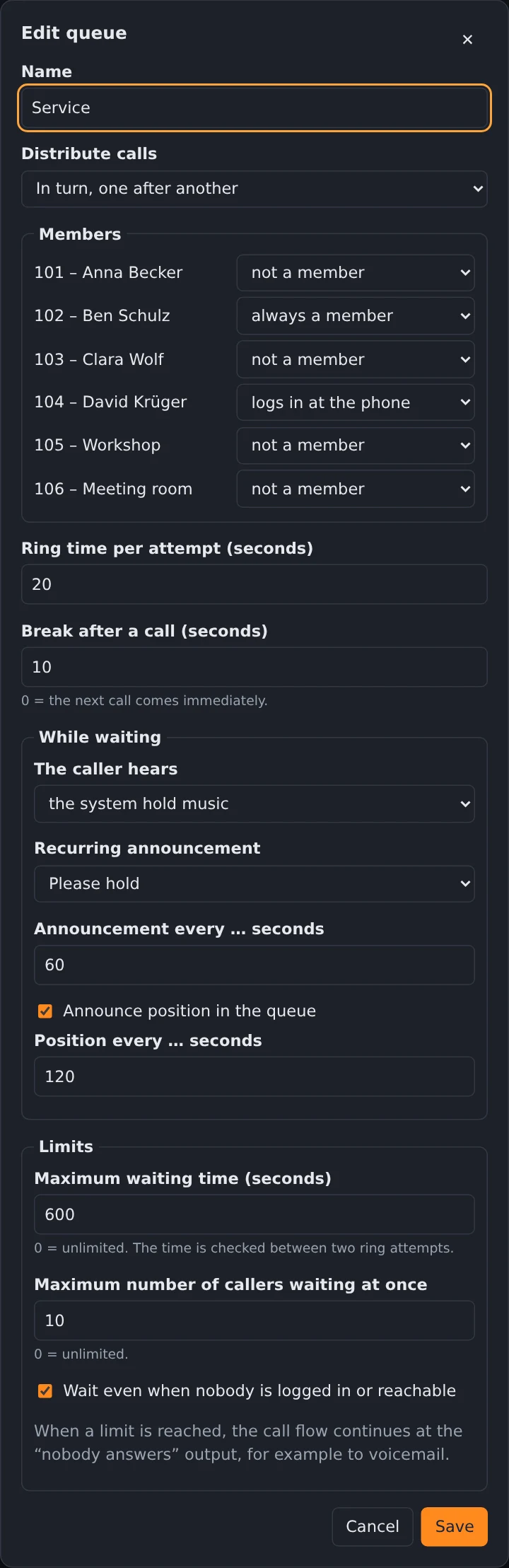
Callers stay in line until someone is free. Members are fixed or log in at the phone and take breaks.

  • Distribution: all at once, in turn, longest free, fewest calls
  • Own music, recurring announcement and position
  • Live view of waiting callers
Queues
Queues
Edit queue
Edit queue

Announcements and hold music

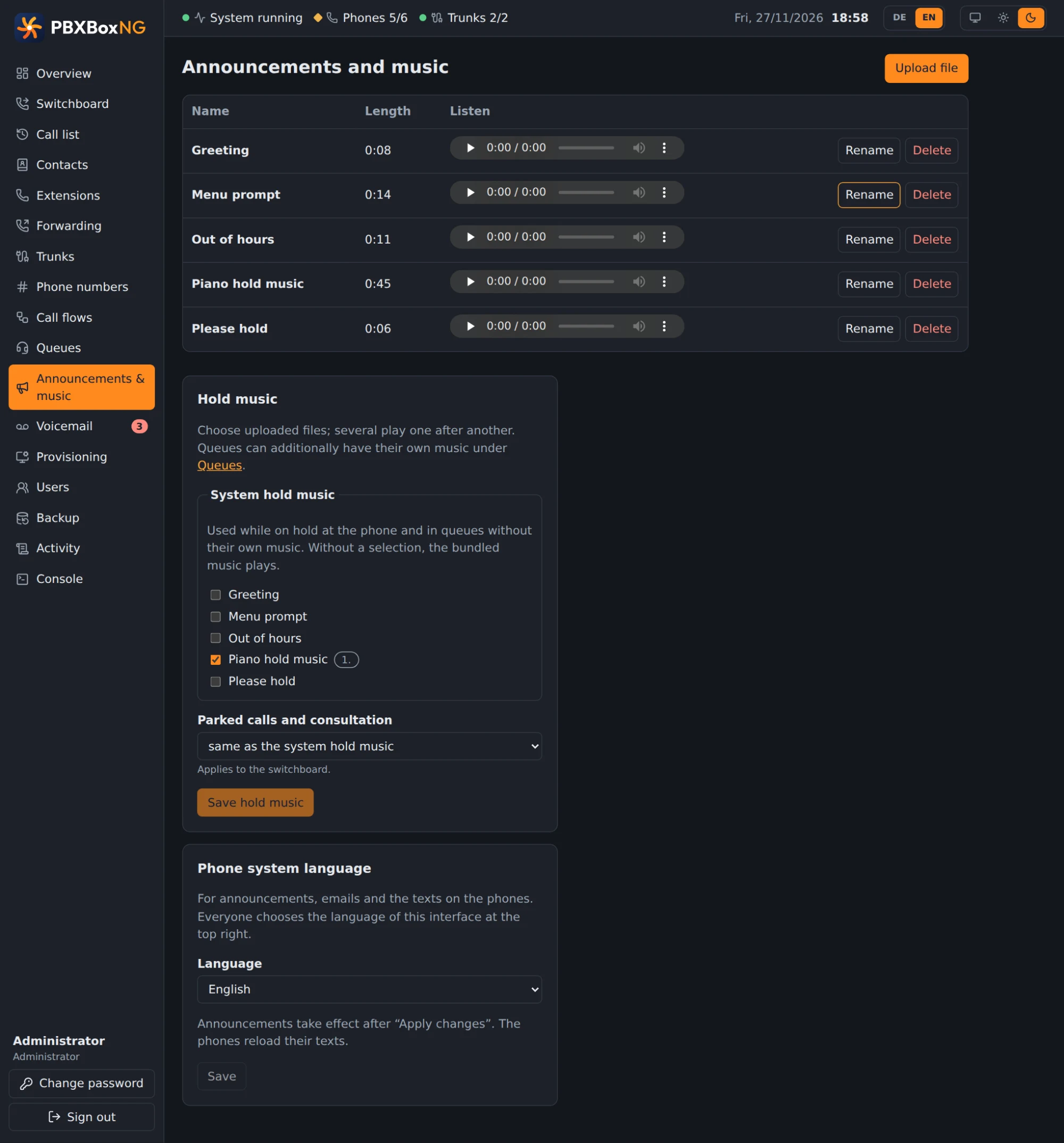
Upload audio files – the browser converts them. Hold music for the whole system, per queue and for parked calls.

  • WAV, MP3 and more
  • Listen right in the browser
  • Choose the language of phone prompts
Announcements and music

Voicemail

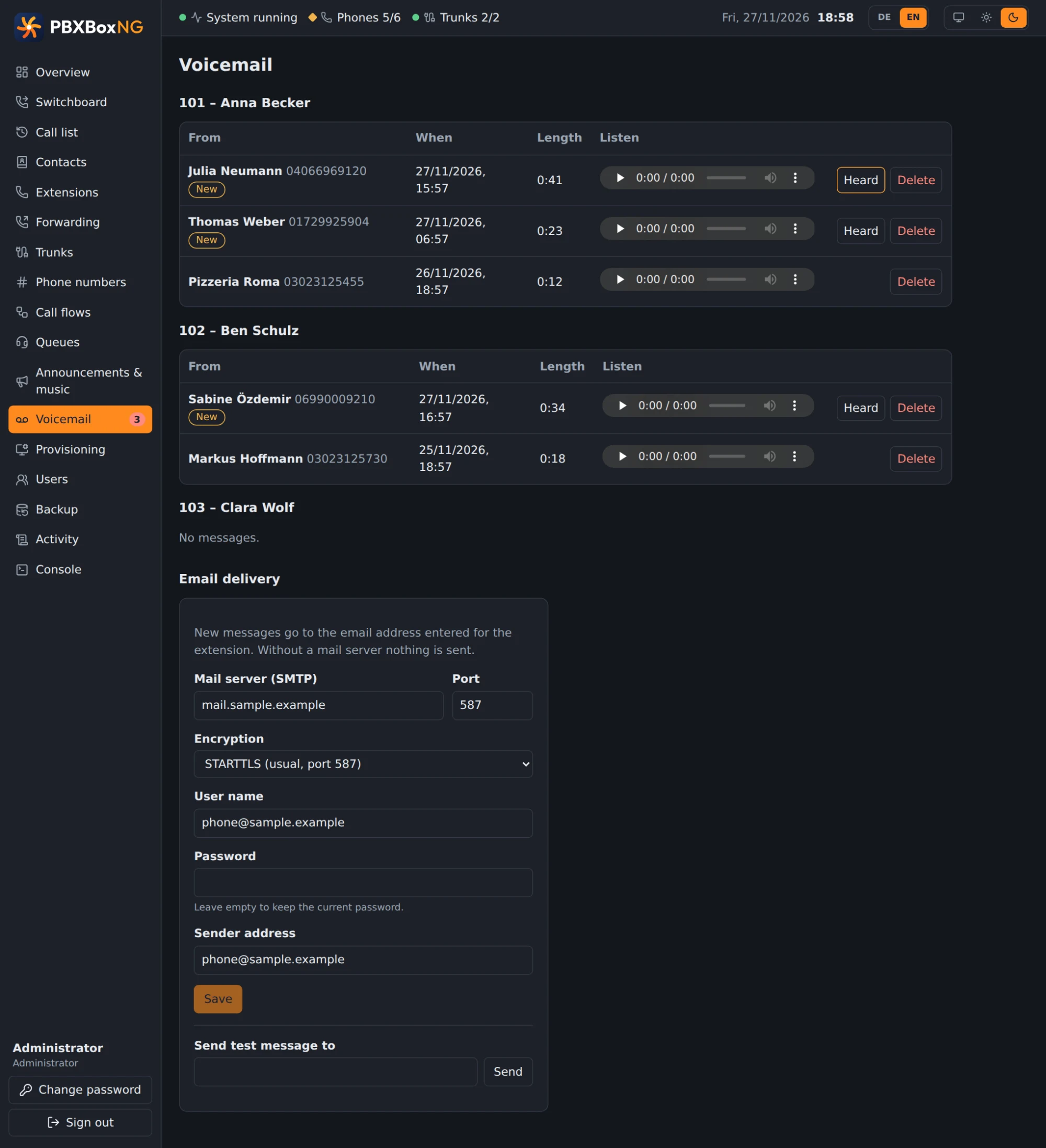
Mailboxes you can listen to at the phone and in the browser, optionally sent by email with the recording attached.

  • Record your own greeting at the phone
  • Email delivery with test message
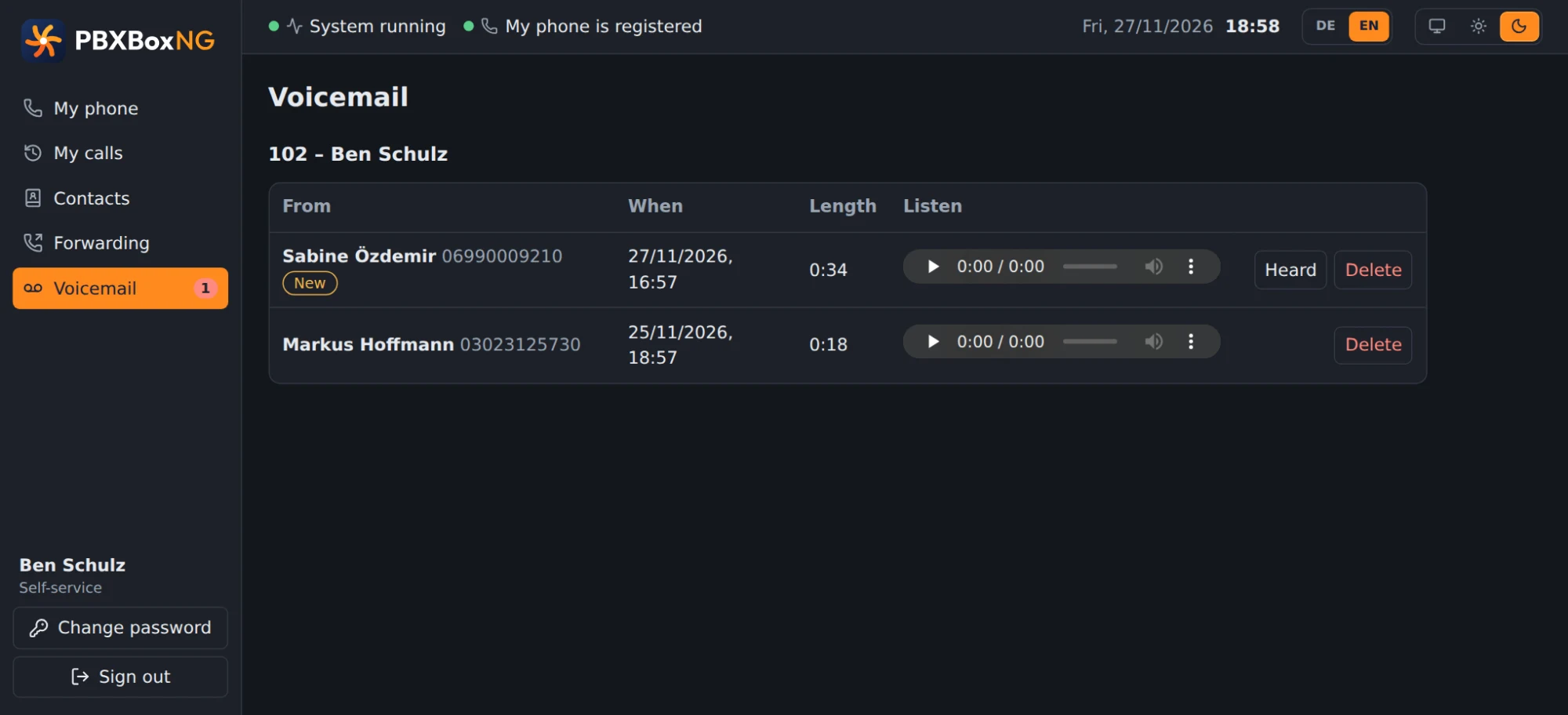
  • Users only see their own mailbox
Your voicemails
Your voicemails
Administration and email

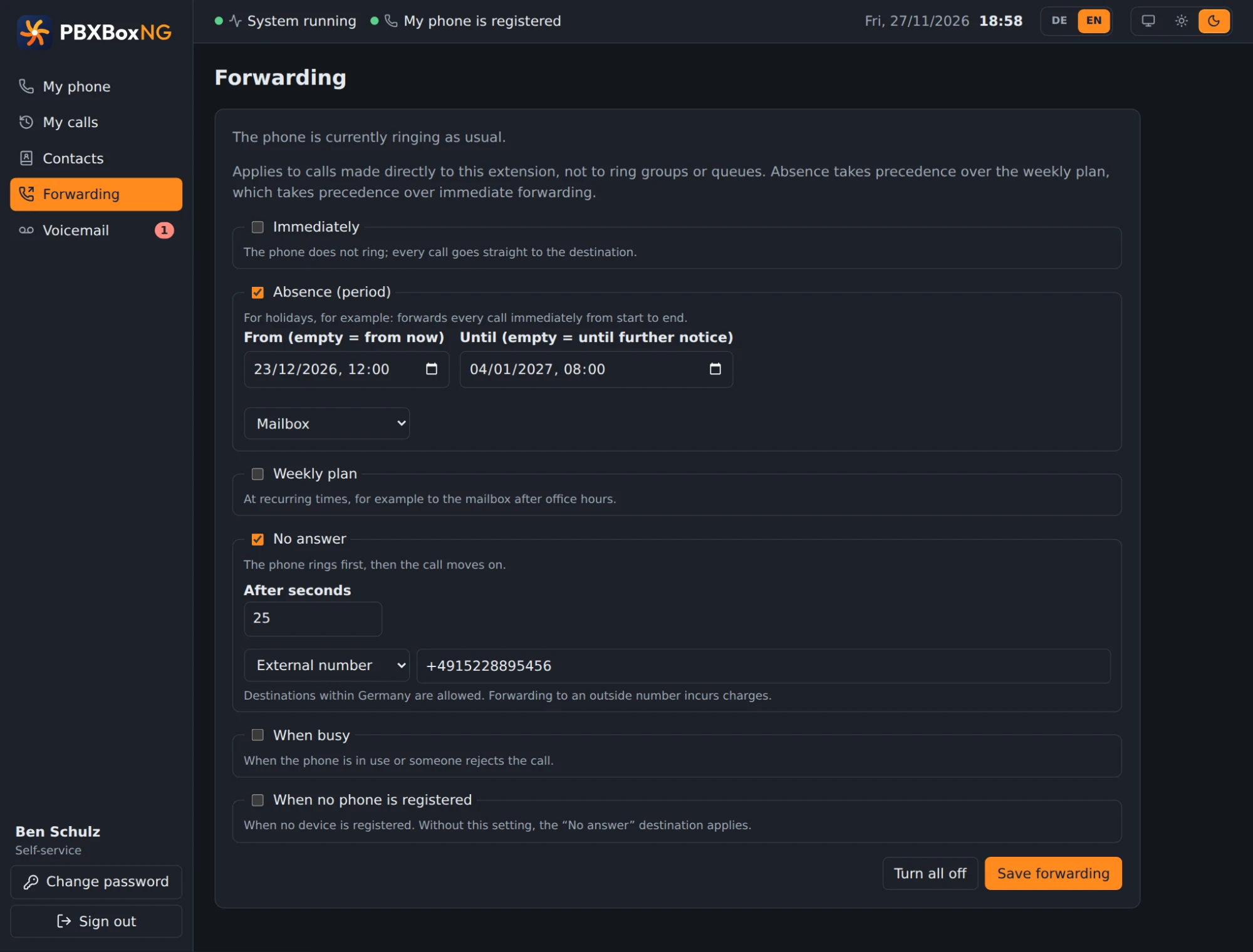
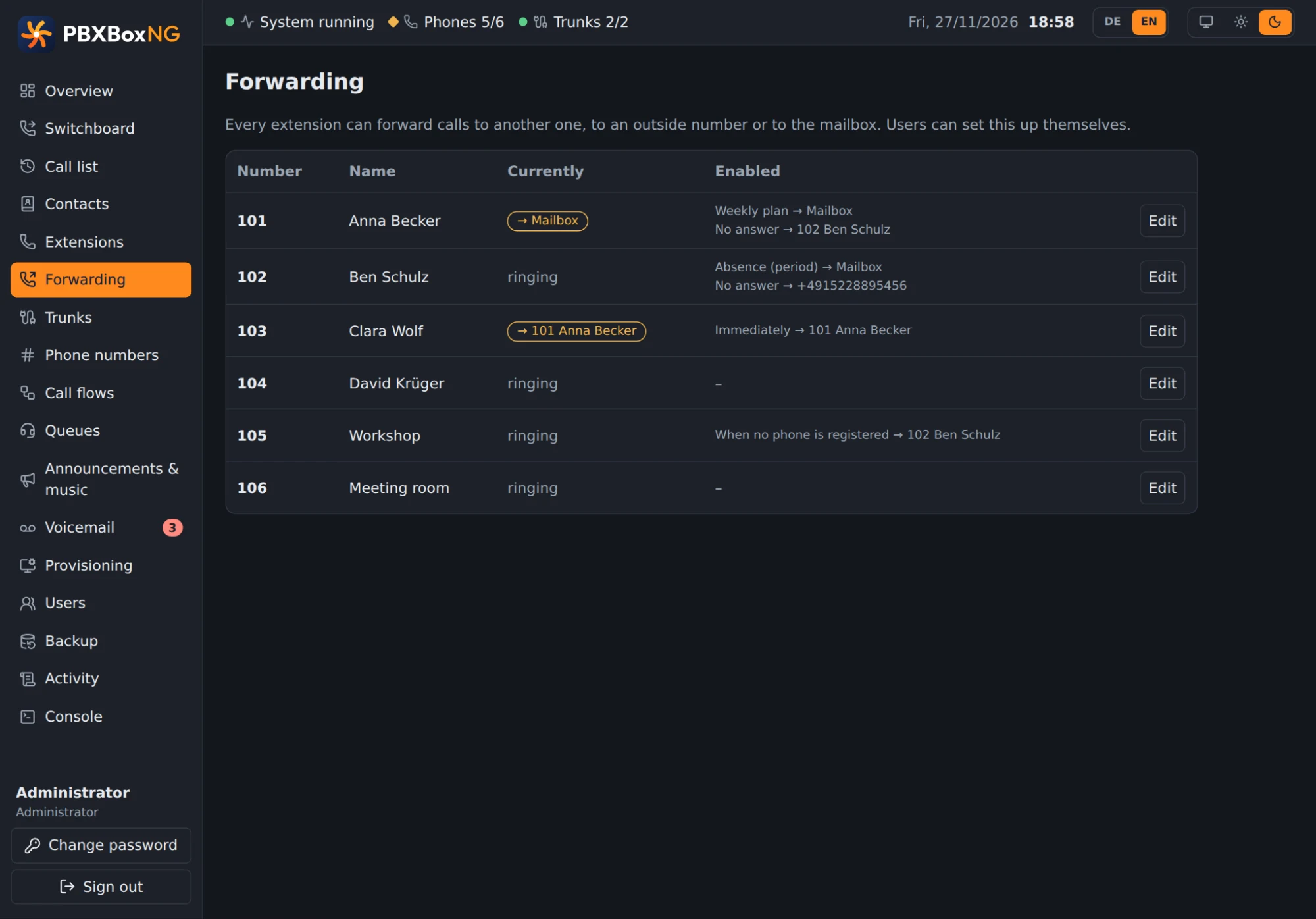
Call forwarding

Immediately, when busy, on no answer, without a registered phone, during holidays or by weekly plan – to voicemail, colleagues or outside.

  • Takes effect at once
  • Users set it themselves
  • External destinations only with matching permission
Your forwarding
Your forwarding
All forwardings
All forwardings

At the desk

Tools for reception, switchboard and everyone on the phone.

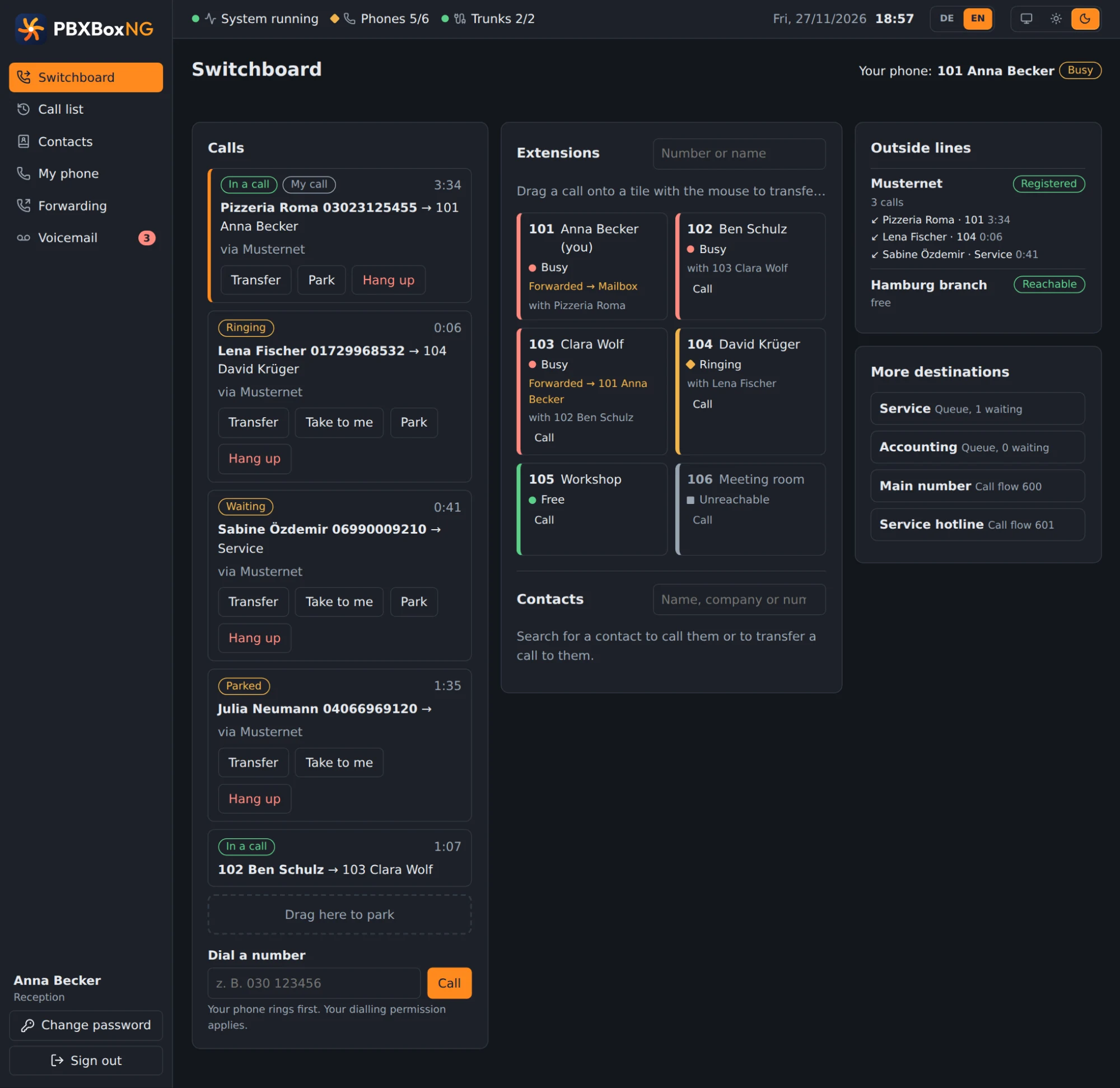
Switchboard

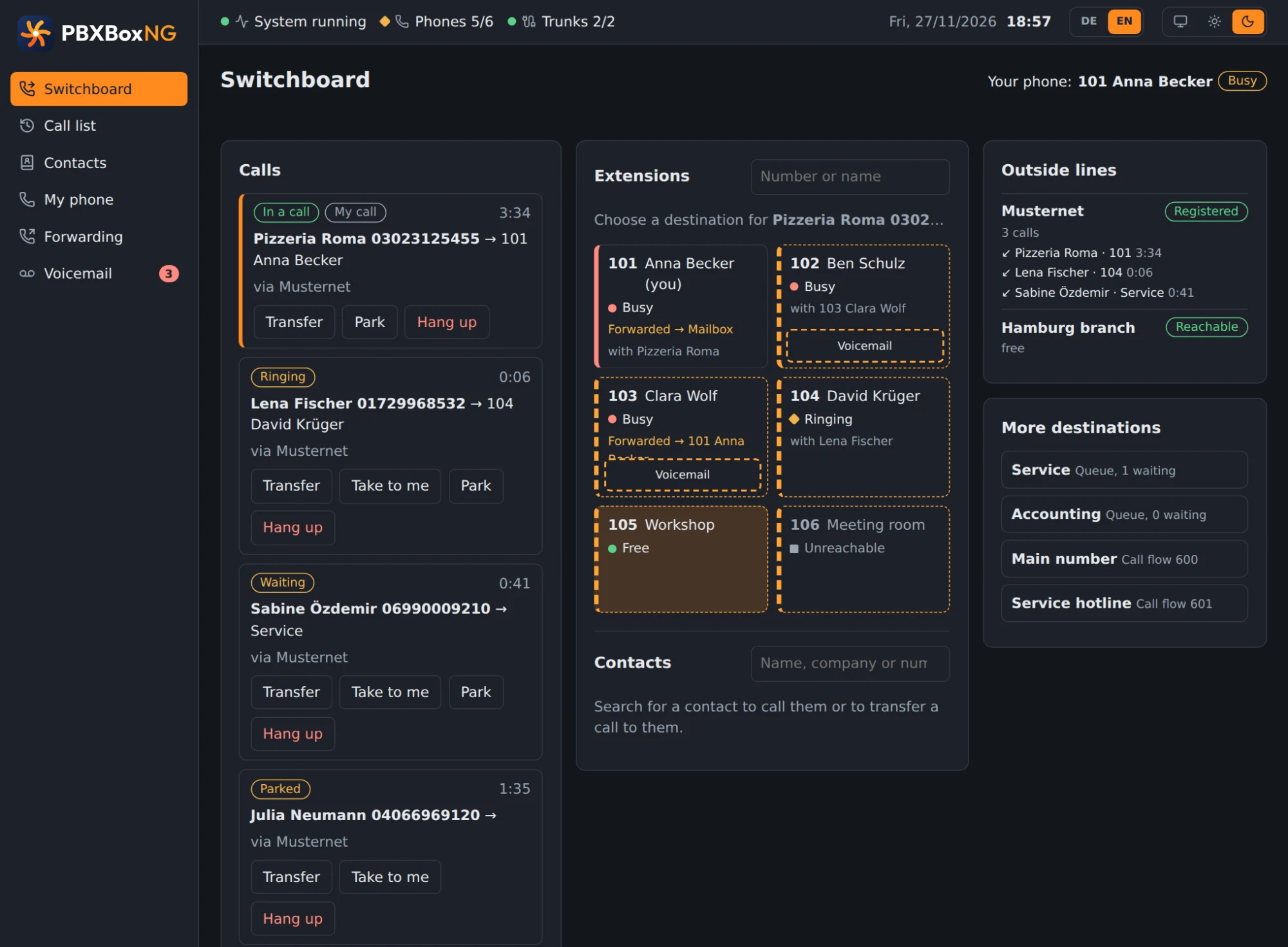
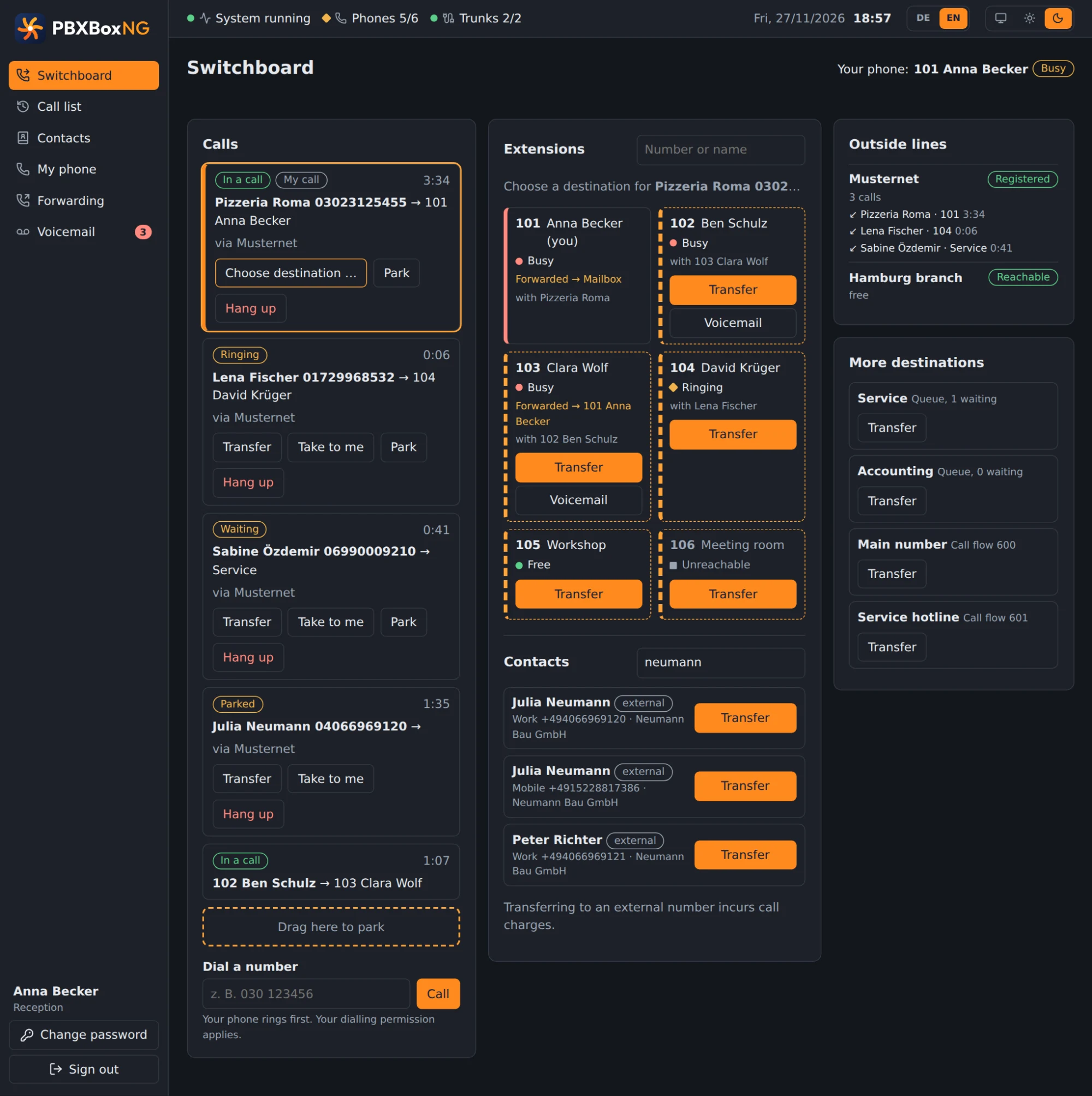
All calls, extensions and lines on one screen. Transfer, consult, park and pick up with the mouse.

  • Drag onto extension, voicemail or queue
  • Transfer to contacts and external numbers
  • Unanswered calls come back
Switchboard
Switchboard
Dragging a call
Dragging a call
Transfer to contacts

Call list

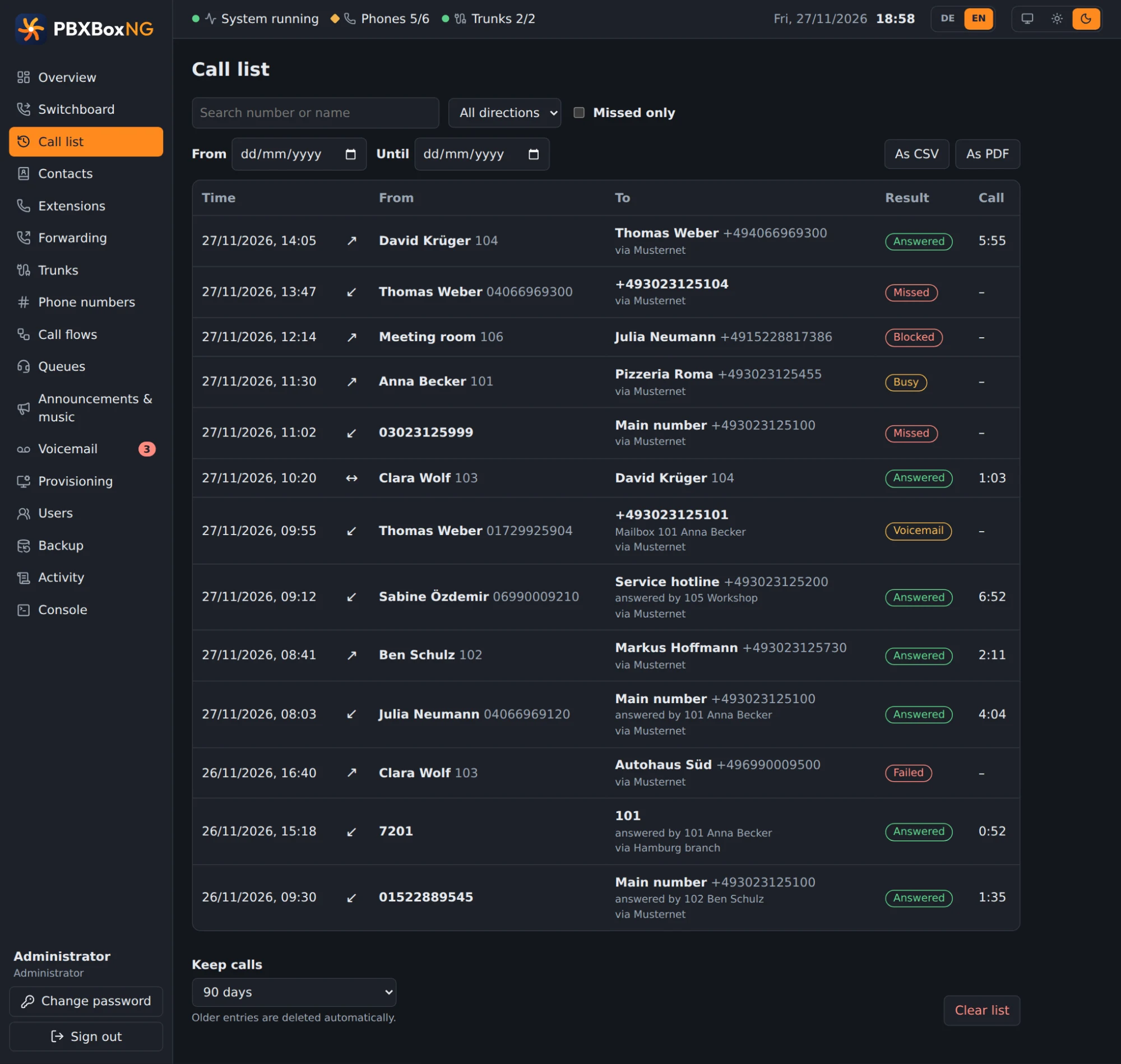
Incoming, outgoing and internal calls with result and duration, searchable and downloadable as CSV or PDF.

  • Filter by direction, period and “missed only”
  • Automatic deletion after an adjustable time
  • Self-service shows only own calls
Call list
Call list

Shared phone book

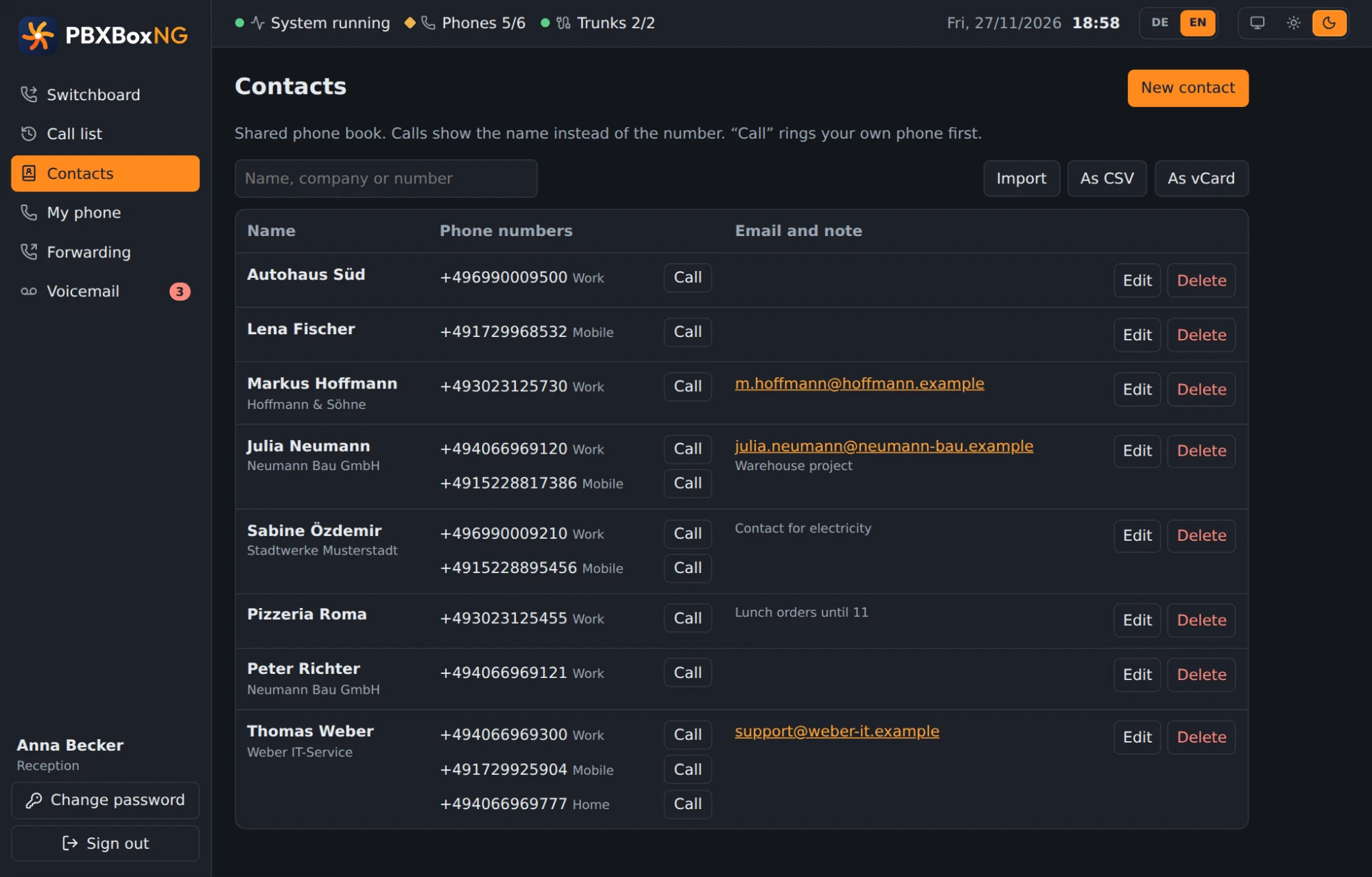
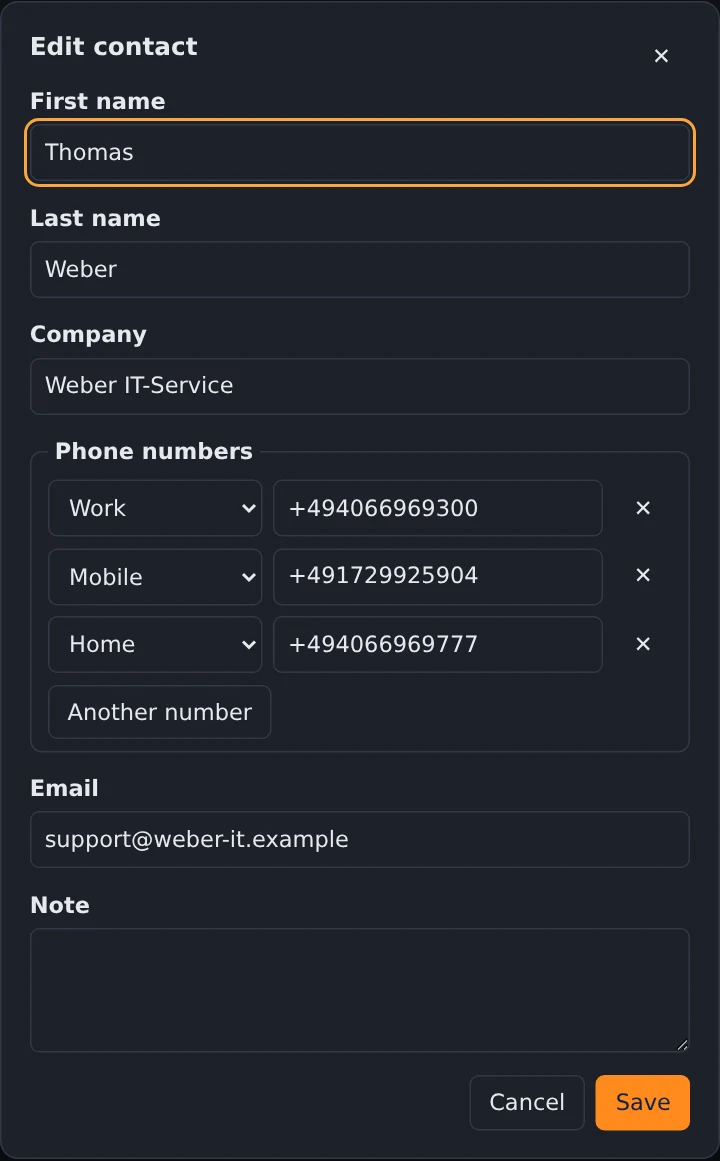
Names instead of numbers. Click to call: your phone rings first, then the number is dialled.

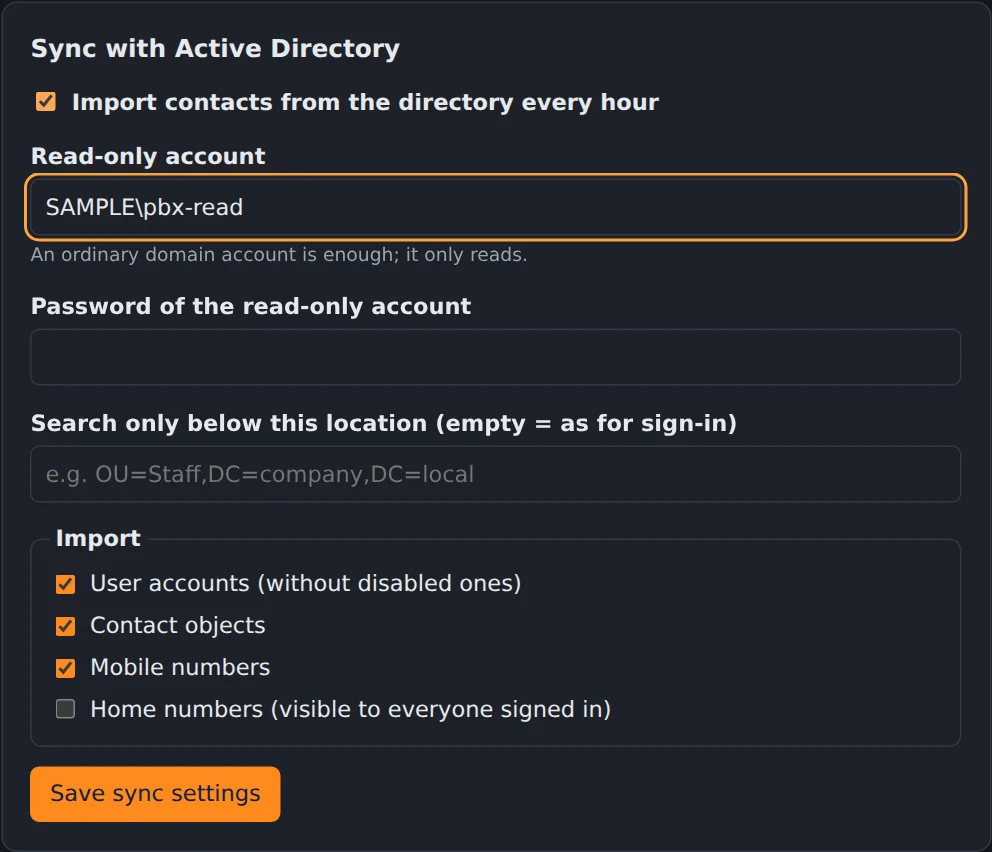
  • Import from CSV, vCard and Active Directory
  • Search right on the Snom phone
  • Export as CSV and vCard
Click to call
Click to call
Edit contact
Edit contact
Sync with Active Directory

My phone

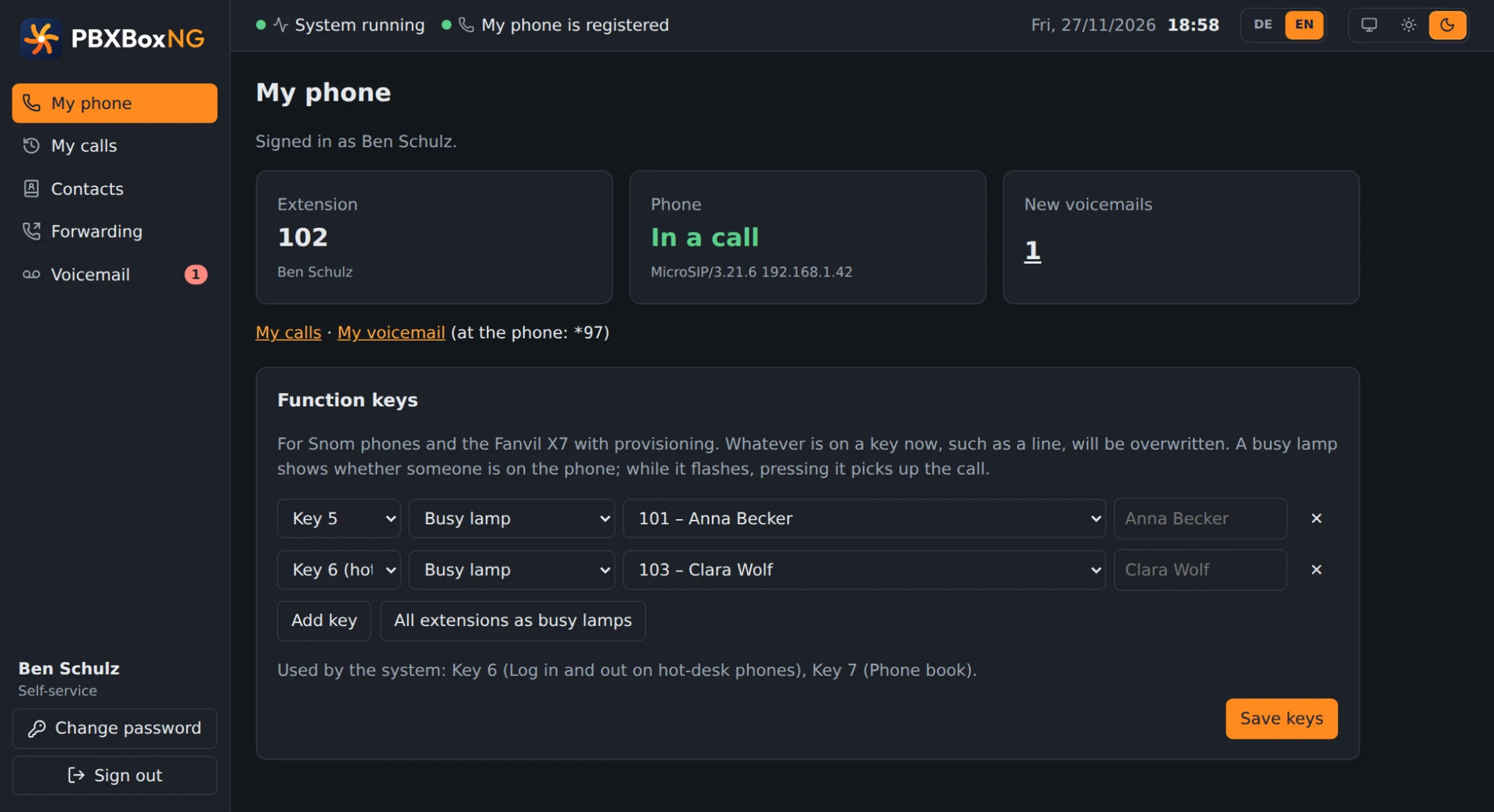
Everyone sees the state of their own phone, new messages, and sets their own function keys.

  • Self-service without access to the system
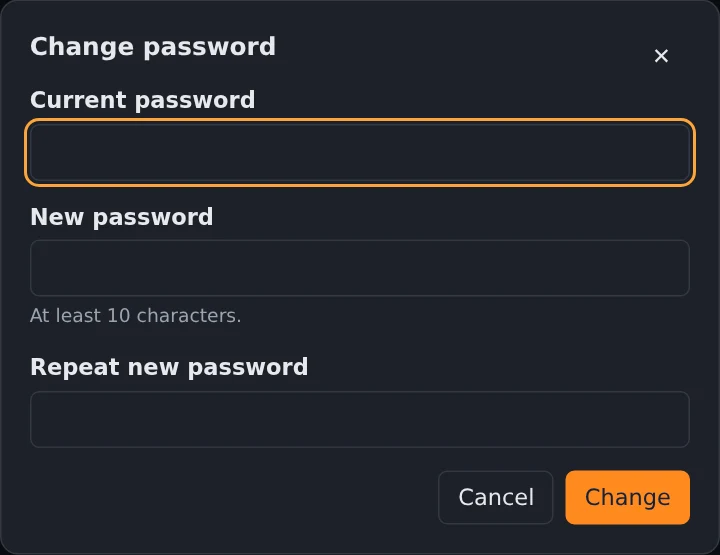
  • Change your own password
My phone
My phone
Change password
Change password

Phones that set themselves up

Enter one address – the system does the rest.

Auto-provisioning

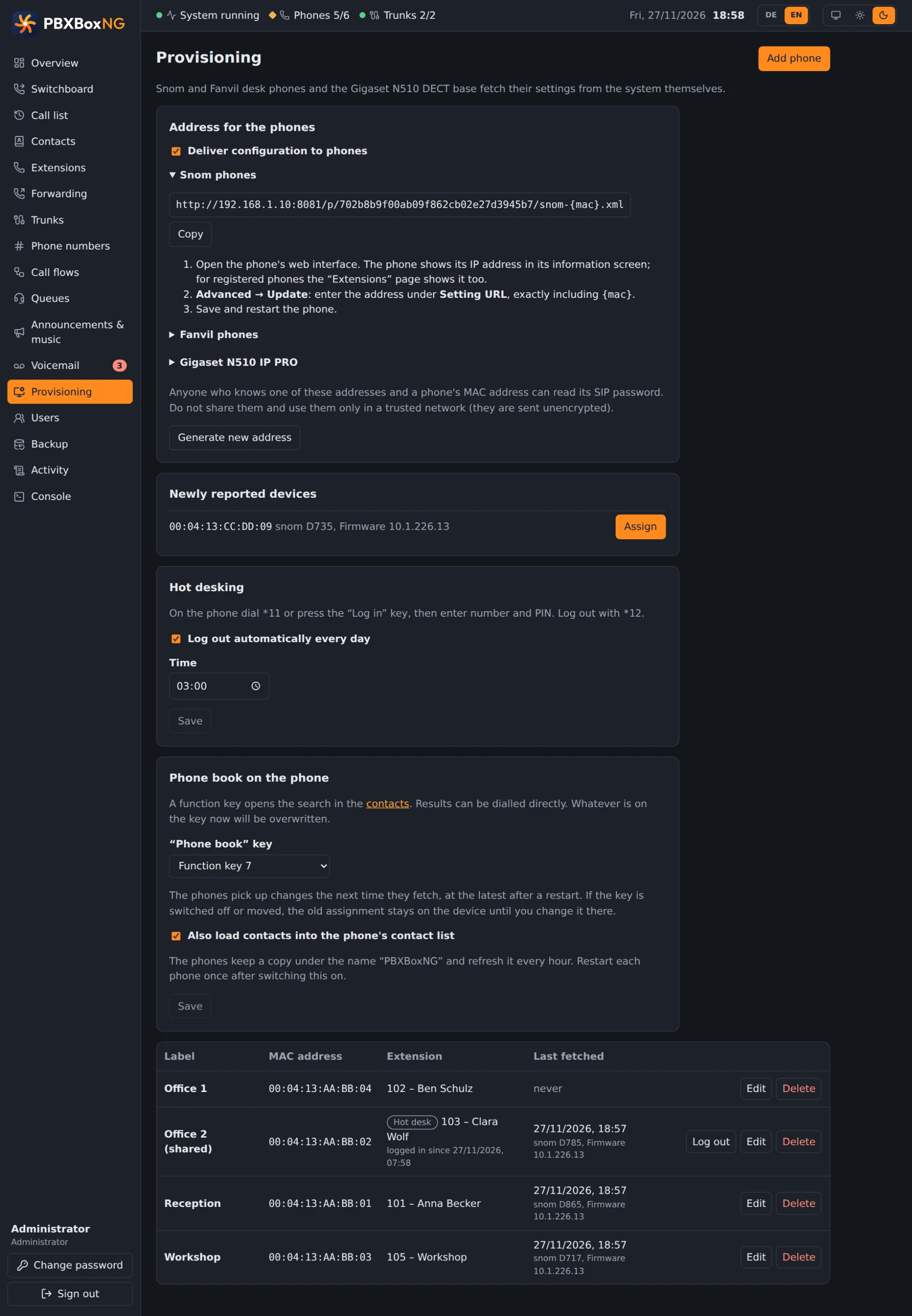
Snom D series desk phones, Fanvil phones and the Gigaset N510 IP PRO DECT base fetch account, names and settings on their own. New devices appear for assignment.

  • Secret address, registered devices only
  • DECT: one extension per handset
  • Tested with Snom D865, Fanvil X7 and Gigaset N510; on Fanvil, function keys on the X7 only
Provisioning
Provisioning

Function keys

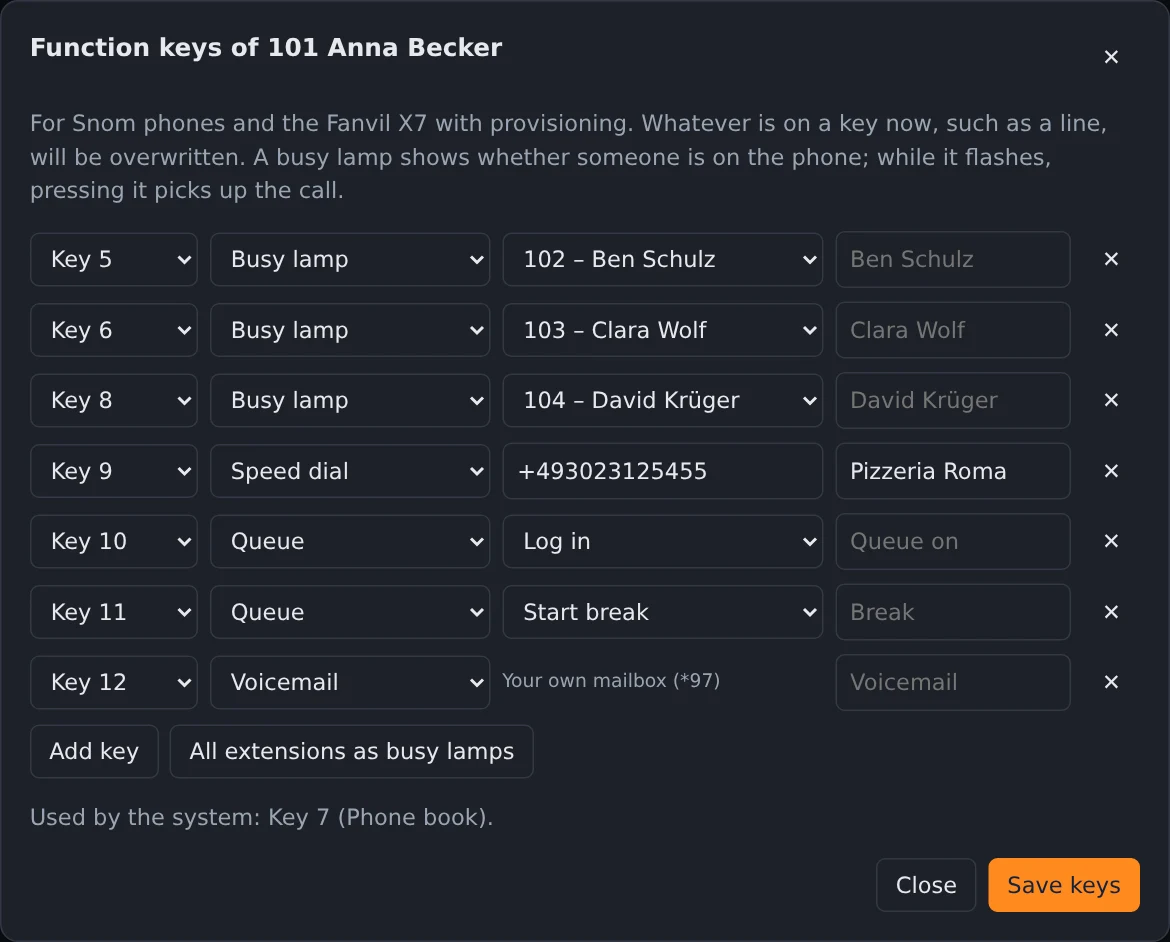
Busy lamp with pickup, speed dial, queue and voicemail – set per extension in the browser, on the phone right away.

  • Up to 40 keys
  • Move along with hot desking
Assign function keys

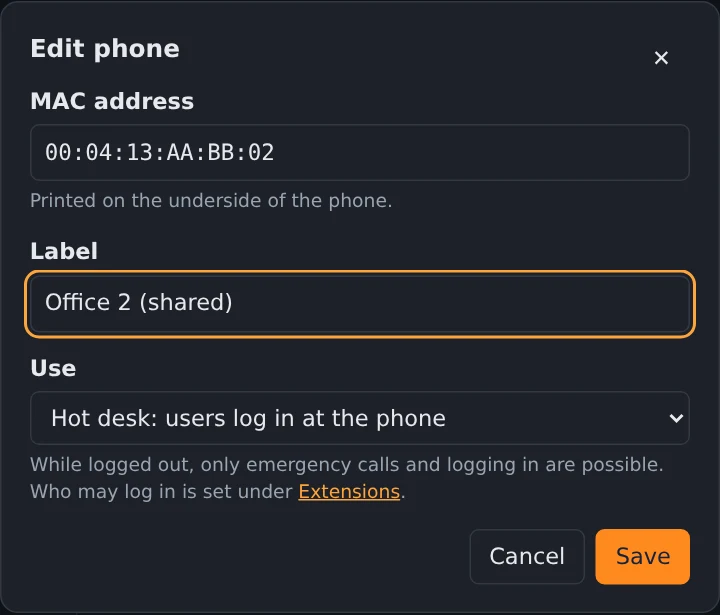
Hot desking

Shared desks: log in at the Snom with number and PIN, and the phone becomes your extension.

  • Log out on the device, in the interface or automatically at night
  • Free phones dial emergency numbers only
Enter a phone as hot desk

Operation and security

Trace, protect, restore.

Users, roles and Active Directory

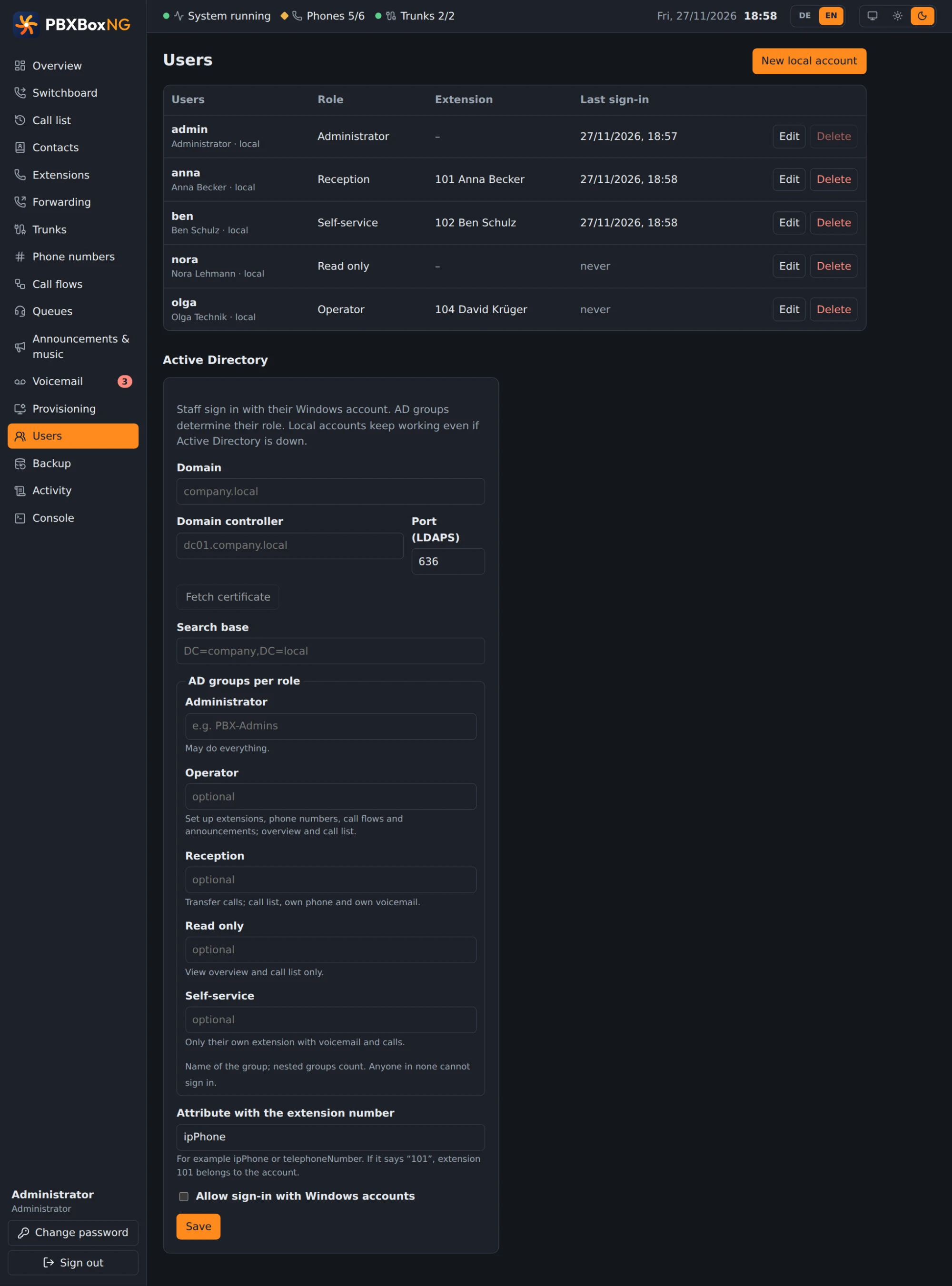
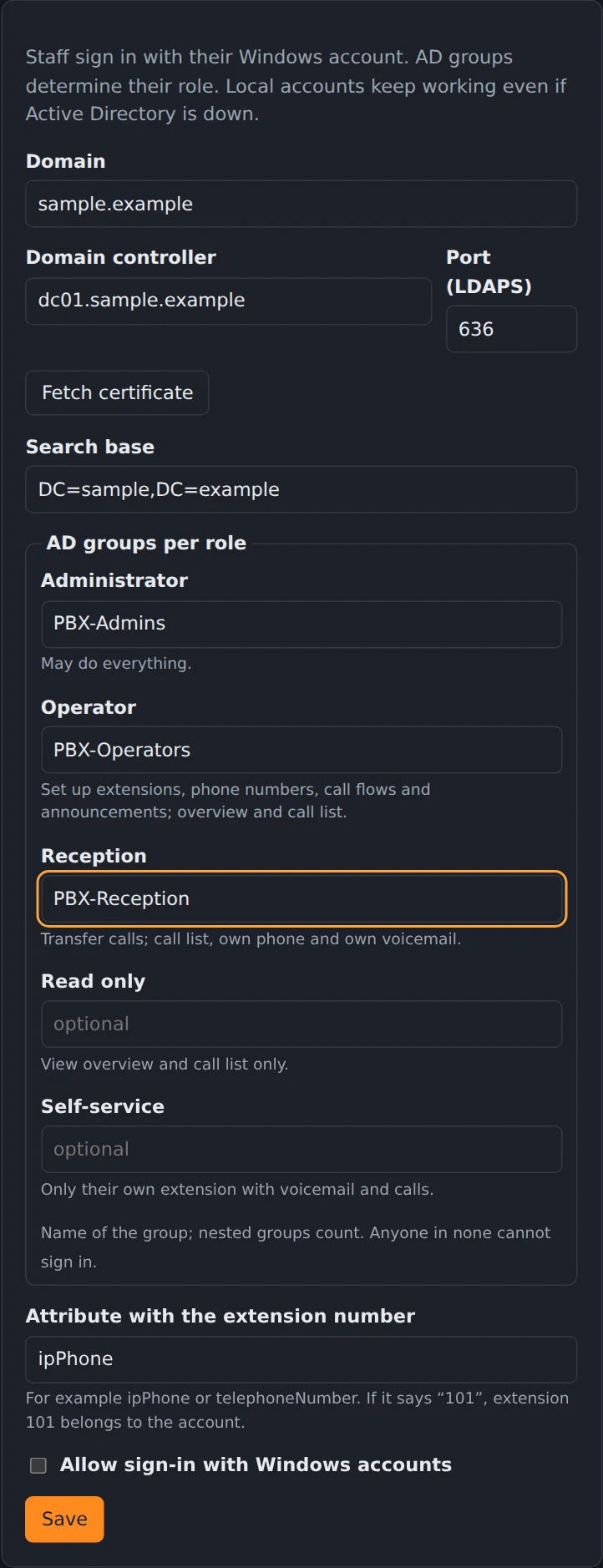
Five roles from administrator to self-service. Sign in with Windows accounts via LDAPS, roles through AD groups.

  • No service account needed for signing in
  • A local emergency account always remains
Users
Users
Active Directory
Active Directory

Backup and restore

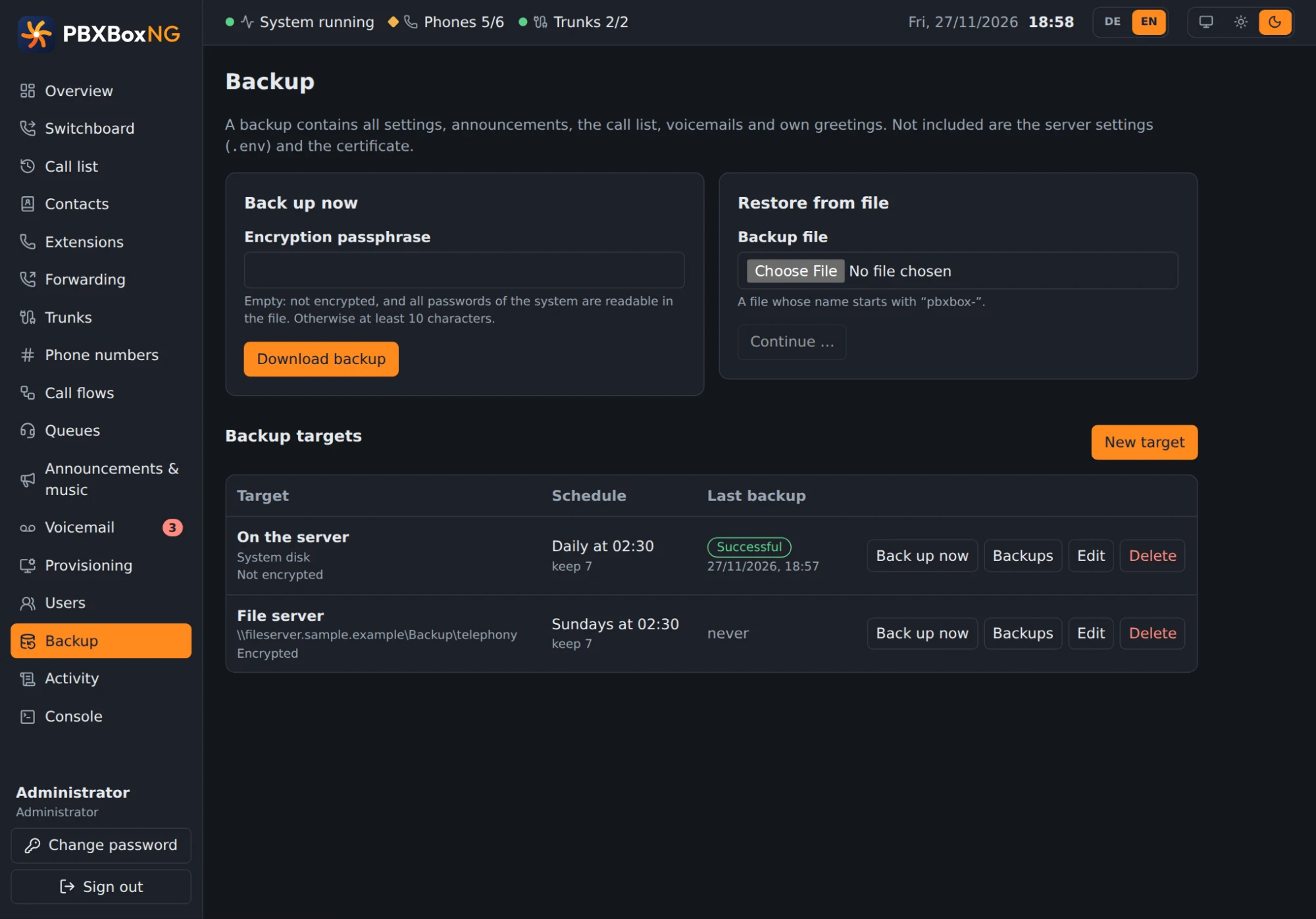
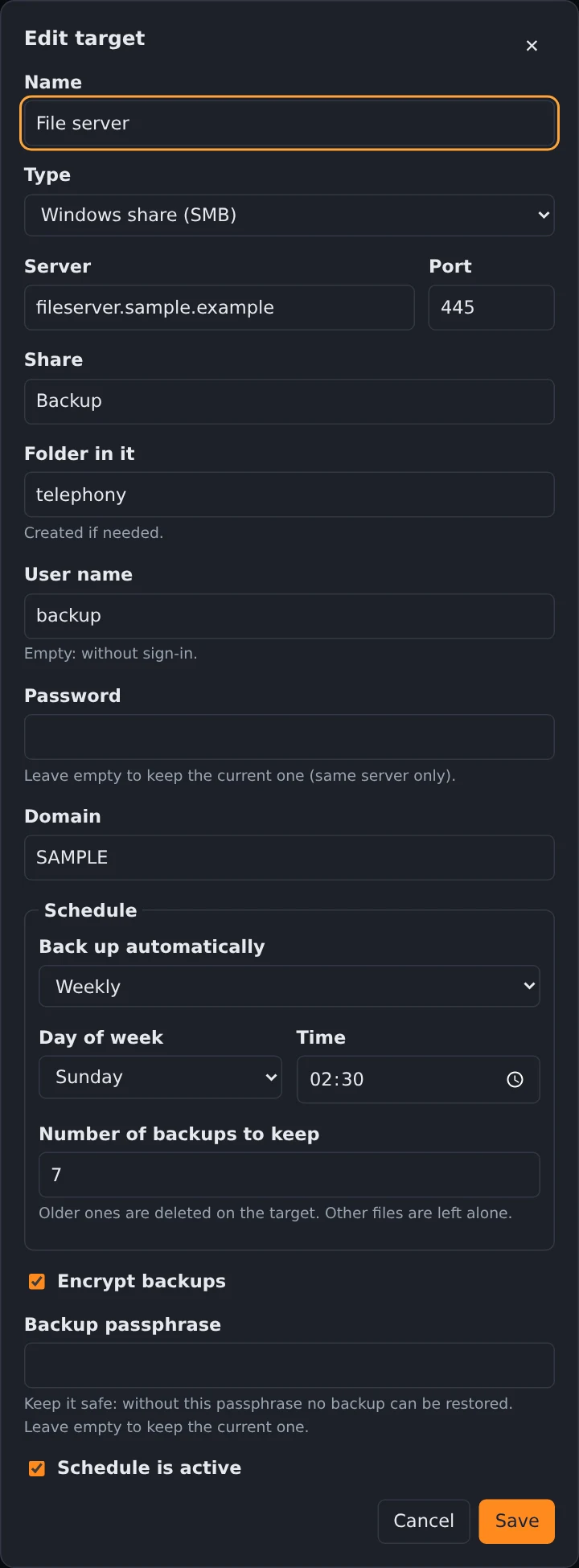
Settings, announcements, call list and voicemails in one file – manually or scheduled to network targets.

  • SMB, NFS, FTP/FTPS or local
  • AES-256 encryption
  • The previous state is kept before restoring
Backup
Backup
Backup target
Backup target

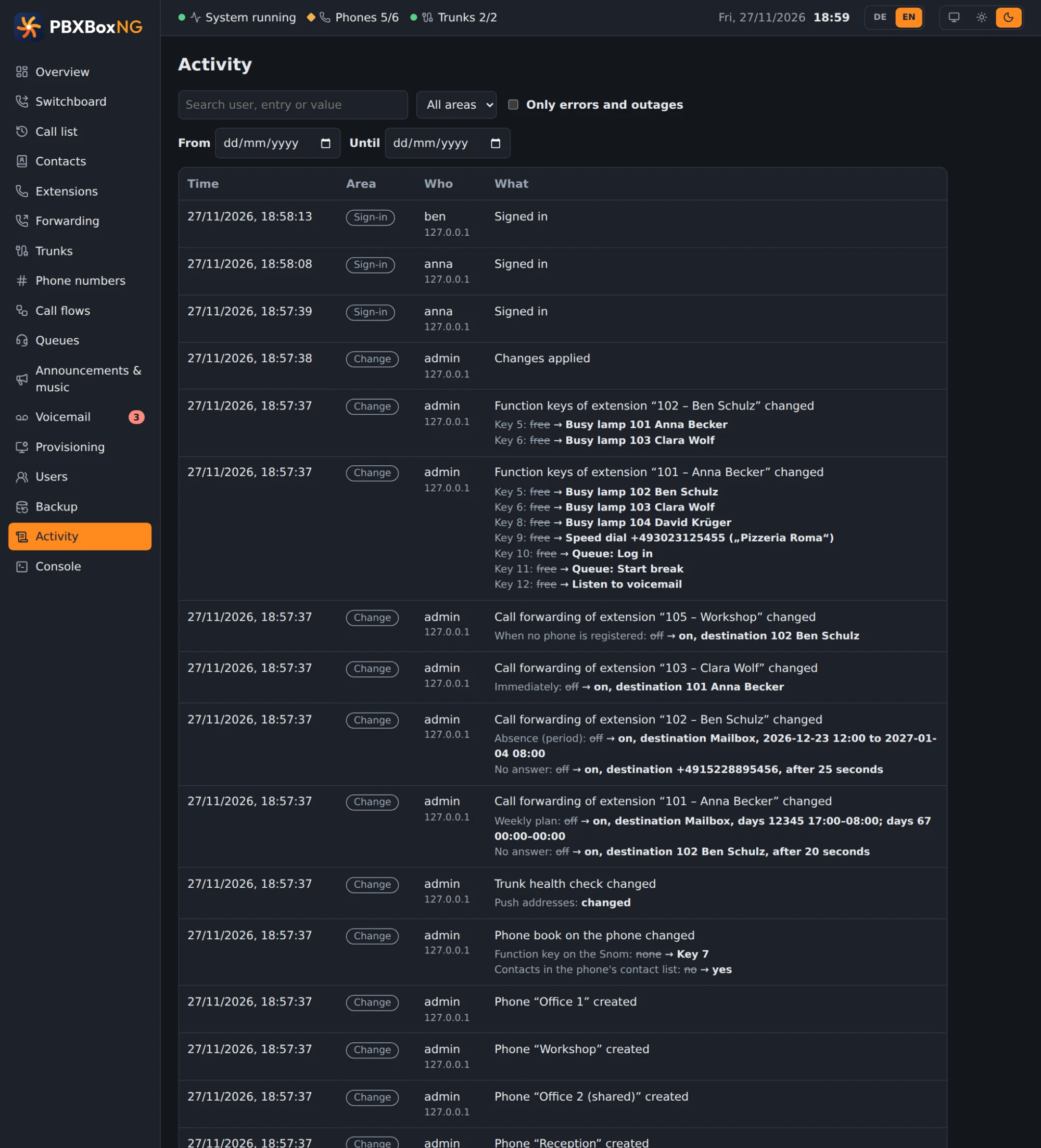
Activity log

Who changed what, who signed in, which phone failed – with old and new value.

  • Filter by area, period and errors
  • Passwords and PINs are never recorded
Activity log
Activity log

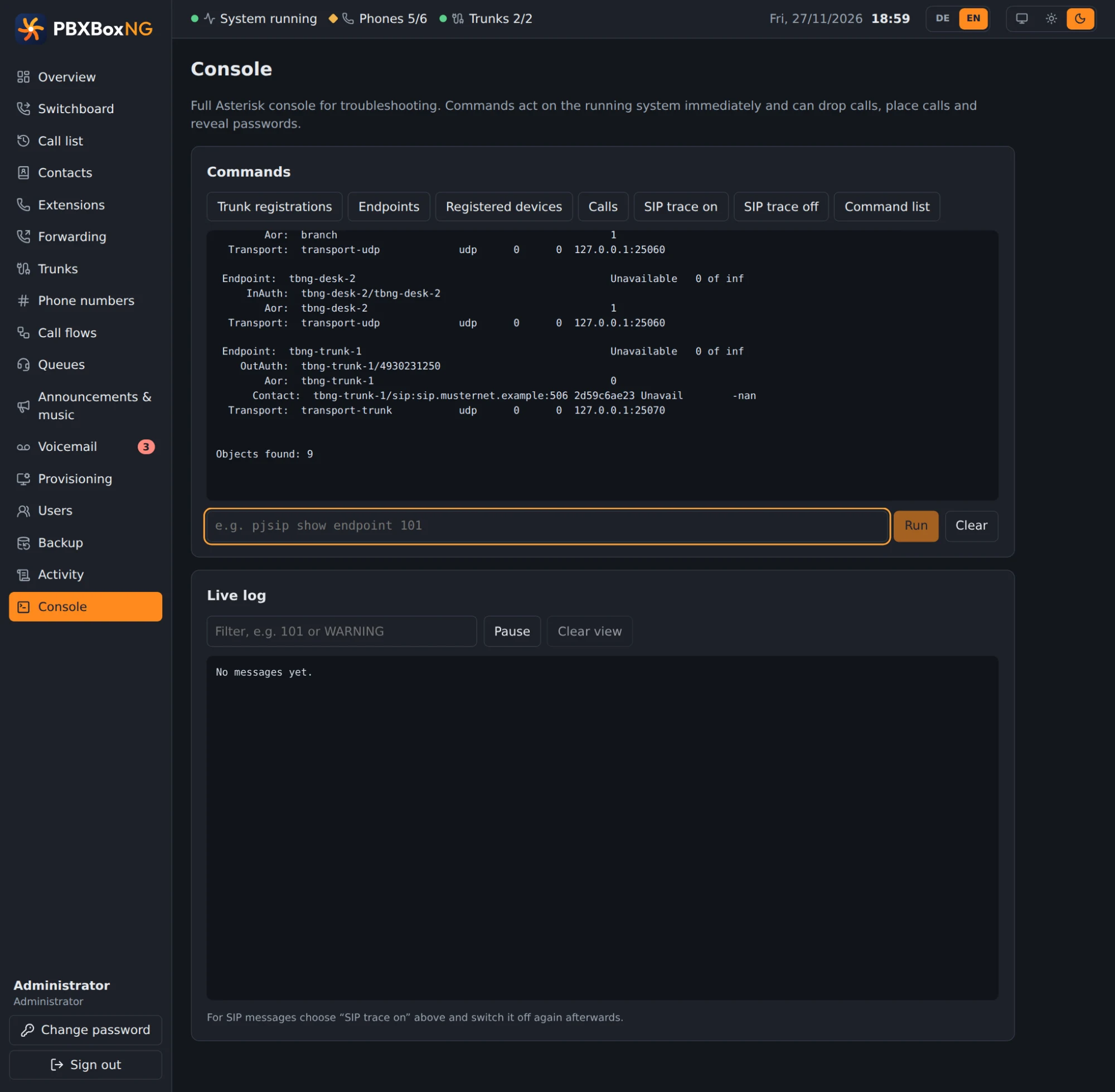
Console for troubleshooting

Asterisk commands, live log with filter and SIP trace right in the browser – for administrators only.

Console
Console

Two languages, two looks

Every user chooses German or English. Prompts, emails and phones follow a system setting. Light, dark or like your computer.

Sign-in
Sign-in
Appearance
Appearance
Technology and installation

PBXBoxNG runs in Docker on your own Linux server, such as a small virtual machine.

Requirements

  • Linux with Docker (e.g. Debian)
  • 2 CPU cores, 2 GB RAM, 20 GB disk
  • Fixed IP address in the phone network
  • SIP line or second phone system for outside calls

Under the hood

  • Asterisk 22 with PJSIP
  • Web interface built with React
  • Server with Fastify and SQLite
  • HTTPS with its own certificate

Honestly: the limits

  • The country code is set to Germany (+49).
  • Trunks without encryption (no TLS, no SRTP).
  • No statistics over longer periods.
  • Provisioning only for the vendors mentioned.

Get started

cp .env.example .env
docker compose up -d --build
A new system with the first steps

The complete manual

Step by step for users, reception and administrators, with screenshots.

Download the manual (PDF)

All screenshots show a test system with fictitious names, numbers and addresses.